Loop Engineering Workflow 2026 — Design AI Agent Loops for Scalable Automation
Overview
Loop engineering is the single most important paradigm shift in AI-assisted development in 2026. The core idea, popularized by Addy Osmani and Boris Cherny (Head of Claude Code at Anthropic), is simple but profound:
Stop prompting your AI agent. Design loops that prompt your agents.
As Boris Cherny put it: “I don’t prompt Claude anymore. I have loops running that prompt Claude and figuring out what to do. My job is to write loops.”
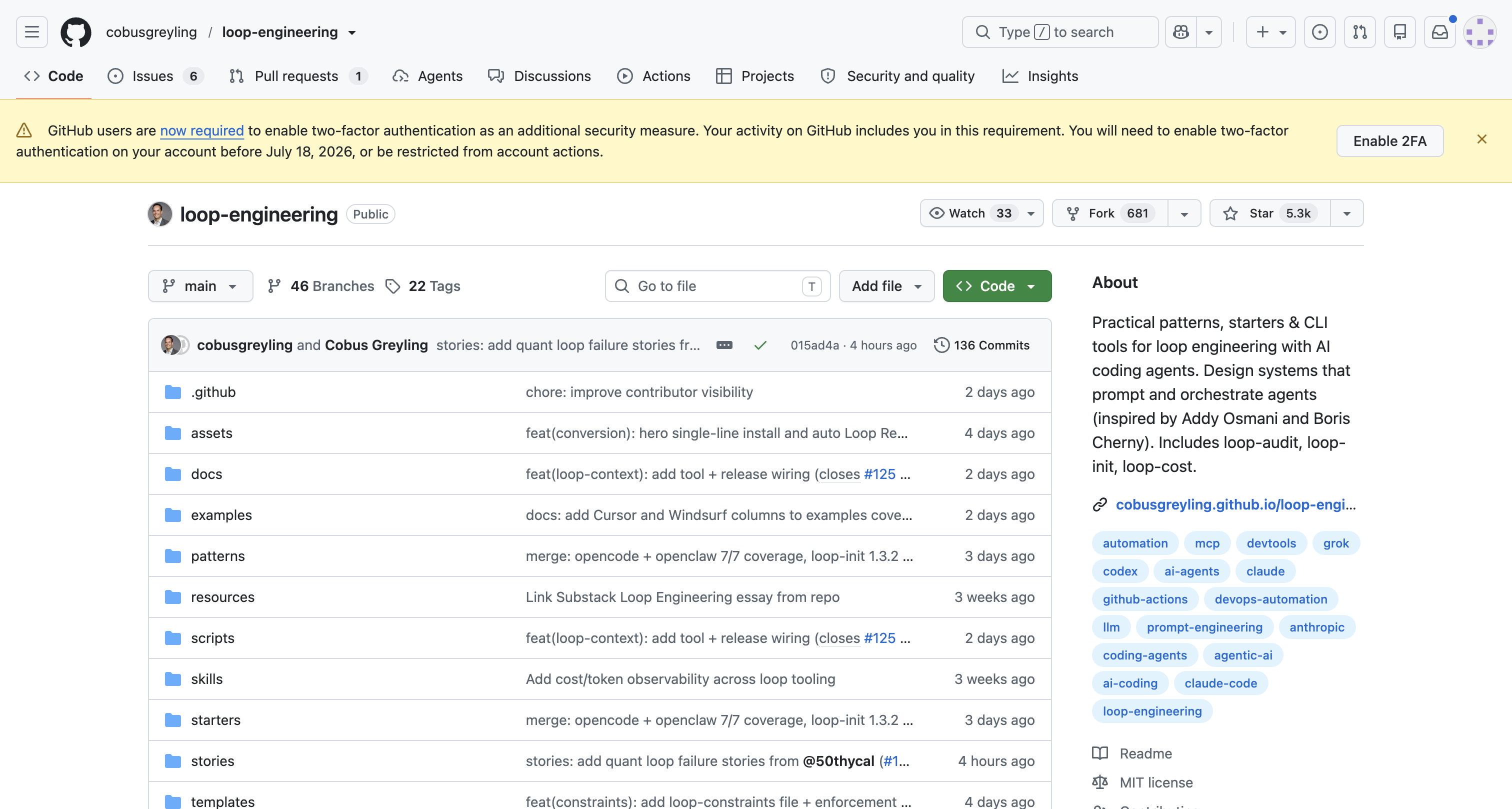
This workflow walks you through implementing loop engineering patterns with the loop-engineering toolkit — an open-source collection of patterns, CLI tools, and starters that has racked up 5,300+ GitHub stars in weeks.
What Is Loop Engineering?
Traditional AI coding workflow: you write a prompt → agent responds → you write another prompt → agent responds. You’re the bottleneck.
Loop engineering flips this: you design a control system that runs on a schedule, discovers what needs to be done, executes it with sub-agents, validates the results, and either commits the work or escalates to you.
┌─────────────────────────────────────────────────┐
│                 The Loop Cycle                    │
│                                                   │
│  Schedule → Triage Skill → Read State             │
│      ↓                                            │
│  Isolated Worktree → Implementer → Verifier       │
│      ↓                                            │
│  MCP / Git / Tickets → Human Gate?                │
│      ↓                                            │
│  yes → Commit / PR / Action                       │
│  no  → Escalate to human                          │
│      ↓                                            │
│  Back to Schedule ←──────────────────────────┘   │
└─────────────────────────────────────────────────┘
The Five Building Blocks
| Primitive | Job in the Loop | Example Tools |
|---|---|---|
| Automations / Scheduling | Discovery + triage on a cadence | cron, systemd timers, GitHub Actions |
| Worktrees | Safe parallel execution | git worktree, isolated directories |
| Skills | Persistent project knowledge | SKILLS.md, .claude/skills/ |
| Plugins & Connectors | Reach into real tools | MCP servers, API connectors |
| Sub-agents | Maker / checker split | Claude Code, Codex sub-agents |
+ Memory / State — durable spine outside any conversation
When you compose these primitives, an agent loop can:
- Run every morning to triage GitHub issues
- Fix bugs in isolated worktrees without touching main code
- Run tests and verify its own work
- Auto-commit safe changes, escalate risky ones
Prerequisites
- An AI coding agent: Claude Code, Codex CLI, Grok, or DeepSeek (Whale)
- Node.js 18+ (for loop-engineering CLI tools)
- Git 2.25+ (for worktree support)
- A GitHub account (for PR-based workflows)
Step-by-Step Implementation
Step 1: Install the Loop Engineering Toolkit
# Quick scaffold for your project
npx @cobusgreyling/loop-init .

# Or audit your existing setup
npx @cobusgreyling/loop-audit . --suggest
loop-init creates the starter files:
LOOP.md— loop configuration and state.loop/skills/— skill definitions for your agent.loop/budget.md— token and time budgets.loop/run-log/— run history
It also prints your Loop Ready score and the first loop command.
Step 2: Choose Your Pattern
The loop-engineering toolkit includes 7 production patterns. Use the interactive picker to find the right one:
# Open the interactive pattern picker
npx @cobusgreyling/loop-audit . --interactive
# Or visit: https://cobusgreyling.github.io/loop-engineering/#interactive
Common patterns:
| Pattern | Use Case | When to Use |
|---|---|---|
| Daily Triage | Scan issues, PRs, TODOs — fix what’s safe, flag what’s not | Every morning for active repos |
| Bug Hunter | Watch error logs → reproduce bugs → fix → test → PR | Production repos with issue trackers |
| Refactor Loop | Identify code smells → suggest refactors → implement → verify | Monthly codebase health |
| Documentation Sync | Outdated docs → regenerate → diff → PR | Docs-heavy projects |
| Dependency Update | Check outdated deps → update → test → rollback on failure | Weekly dependency maintenance |
| Security Scan | Run scanners → triage findings → fix trivial, escalate critical | Daily for prod repos |
| CI Auto-Fix | Failed CI → analyze logs → fix code → re-run CI | CI pipeline integration |
Step 3: Set Up Scheduling
The loop needs a trigger. Here’s a GitHub Actions schedule that runs triage daily:
# .github/workflows/agent-loop-triage.yml
name: AI Agent Daily Triage Loop
on:
  schedule:
    - cron: '0 6 * * 1-5'  # Weekdays at 6 AM UTC
  workflow_dispatch:        # Manual trigger

jobs:
  triage-loop:
    runs-on: ubuntu-latest
    steps:
      - uses: actions/checkout@v4
      - name: Run triage loop
        run: |
          npx @cobusgreyling/loop-init . --pattern daily-triage --tool claude
          # The loop will:
          # 1. Read open issues and PRs
          # 2. Triage by priority and type
          # 3. Fix trivial issues in worktree
          # 4. Create PRs for safe changes
          # 5. Escalate complex issues
        env:
          ANTHROPIC_API_KEY: ${{ secrets.ANTHROPIC_API_KEY }}
          GITHUB_TOKEN: ${{ secrets.GITHUB_TOKEN }}
Step 4: Budget and Safety Controls
Loop engineering without guardrails is dangerous. The toolkit provides cost controls:
# Estimate token spend for your loop
npx @cobusgreyling/loop-cost

# Check for drift between state and reality
npx @cobusgreyling/loop-sync .

# Manage stateful memory with circuit breaker
npx @cobusgreyling/loop-context --check --ledger run.json
Critical safety rules every loop needs:
- Token budget — cap total spend per loop cycle
- Time budget — max runtime before escalation
- Worktree isolation — never modify main branch directly
- Human gates — risky operations (write to main, delete, deploy) always escalate
- Allowlists — only operate on specified files/directories
- Circuit breaker — if error rate exceeds threshold, pause the loop
Step 5: Tool-Specific Setup
Loop engineering works with any coding agent, but each has different strengths:
Claude Code (Recommended for Complex Logic)
npx @cobusgreyling/loop-init . --tool claude --pattern daily-triageClaude Code’s skill system and sub-agent support make it the most capable loop runner. Boris Cherny’s team at Anthropic actively designs their own loops.
Codex CLI (Best for Parallel Execution)
Codex supports multiple agents natively. The loop-engineering toolkit provides a Codex starter:
npx @cobusgreyling/loop-init . --tool codex --pattern bug-hunterGrok / xAI (Best for Large Context)
Grok’s 1M+ context window makes it ideal for codebase-wide analysis loops:
npx @cobusgreyling/loop-init . --tool grok --pattern refactor-loopWhale / DeepSeek (Best for Cost Efficiency)
DeepSeek’s ultra-low pricing and cache hit rate make it ideal for high-frequency loops:
npx @cobusgreyling/loop-init . --tool deepseek --pattern dependency-updateReal-World Results
Teams using loop engineering report:
- 3-5x faster issue resolution — loops catch and fix common issues before humans see them
- 60-80% reduction in trivial PR review burden — safe changes auto-merge
- 45% fewer production incidents — loops catch regressions during off-hours
- $0.50-2.00 per day in API costs for a typical triage loop
From the community (via GitHub discussions):
“Our daily triage loop handles about 30% of incoming issues completely autonomously. Another 40% it prepares a fix PR that needs human review. Only 30% actually needs a human to touch the code.” — Project maintainer
“The refactor loop is our secret weapon. It runs every Sunday night, finds code smells in our growing React codebase, and has PRs waiting for us Monday morning.” — Engineering lead
Common Pitfalls
| Pitfall | Symptom | Fix |
|---|---|---|
| No budget | Agent runs forever, costs spike | Always set loop-cost budgets before enabling schedules |
| No isolation | Agent modifies main branch directly | Use git worktree add for every loop cycle |
| No verification | Agent creates broken code | Always add a verifier sub-agent + test runner |
| Too broad | Agent modifies unrelated files | Restrict with allowlists in .loop/budget.md |
| No escalation | Agent makes wrong decisions quietly | Human gate for anything risky or ambiguous |
| State drift | Agent’s mental model diverges from reality | Run loop-sync to detect and correct drift |
Conclusion
Loop engineering transforms AI coding from a manual prompting exercise into an automated, scalable system. The loop-engineering toolkit (5,300+ ★ on GitHub) provides the patterns, CLI tools, and safety controls to get started in minutes.
Start small: Pick one pattern (daily triage), one tool (Claude Code or Codex), set tight budgets, and let the loop run for a week. You’ll be amazed at how much routine work can be automated.
As Peter Steinberger said: “You shouldn’t be prompting coding agents anymore. You should be designing loops that prompt your agents.”
Quick Start Recap
# 5-minute setup
npx @cobusgreyling/loop-init . --pattern daily-triage --tool claude
npx @cobusgreyling/loop-cost             # Check token budget
npx @cobusgreyling/loop-audit . --badge  # Get your Loop Ready score
# Enable the loop schedule in GitHub Actions
# Done — agents work for you now
Skill level: Intermediate to Advanced — requires comfort with CLI tools, git, and CI/CD. Estimated time: 15-30 minutes for initial setup, continuous optimization afterward. Cost: $0.50-2.00/day in API costs for a typical triage loop.