Getting Started with Loop Engineering: Design Systems That Prompt Your AI Agents
Getting Started with Loop Engineering: Design Systems That Prompt Your AI Agents
“Loop engineering is replacing yourself as the person who prompts the agent. You design the system that does it instead.”
— Addy Osmani, canonical essay on loop engineering
In 2025, developers manually prompted AI agents. In 2026, that approach doesn’t scale. If you’re still typing every prompt into Claude Code or Codex CLI by hand, you’re leaving productivity on the table.
Loop engineering — popularized by Addy Osmani, refined by Boris Cherny, and tooled by the open-source community — is the practice of building self-sustaining agent workflows that discover work, execute it, check results, and iterate without your constant attention.
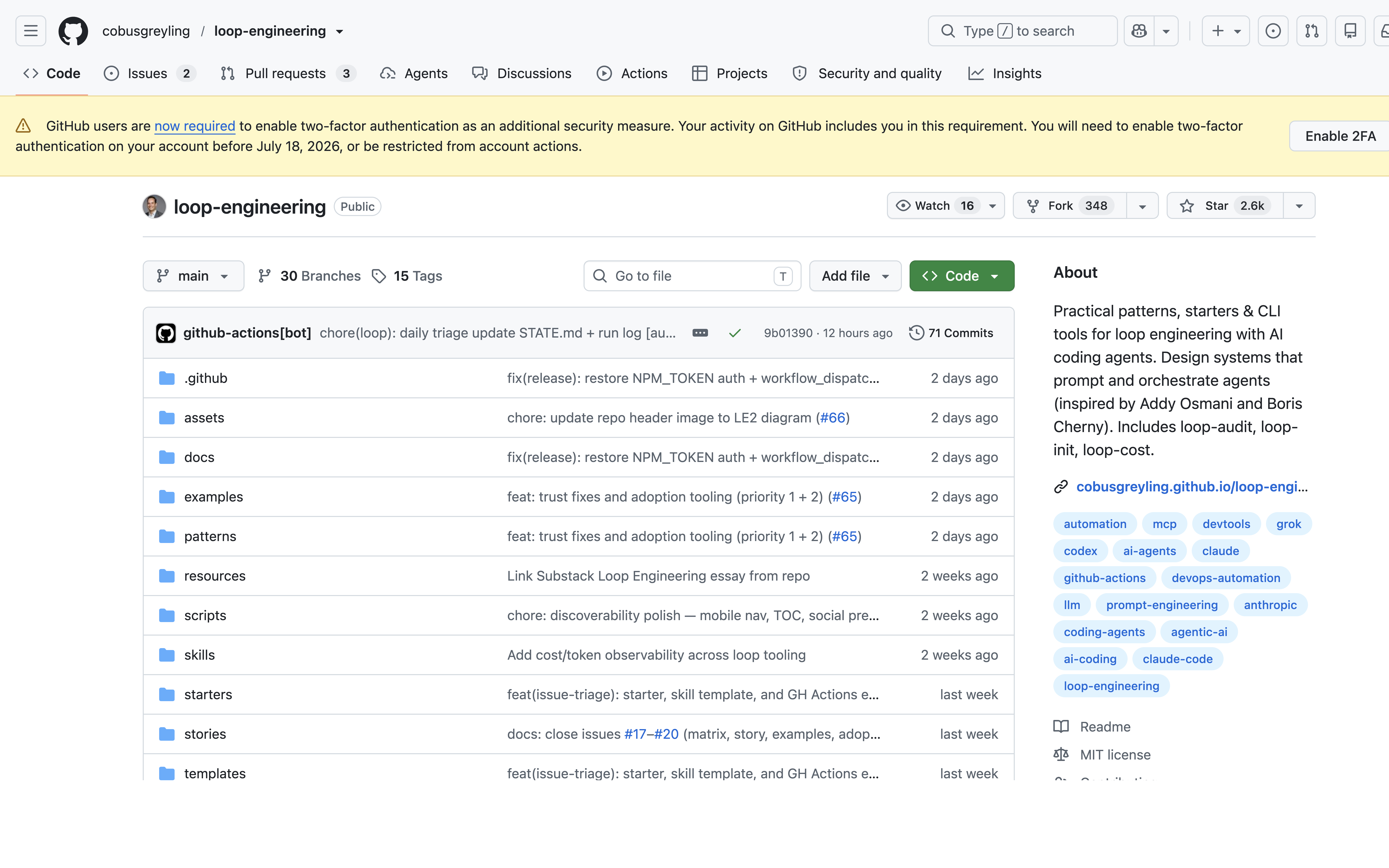
This tutorial walks through loop engineering from scratch, using the loop-engineering project (2,555★ GitHub stars) as our reference implementation.
{% include “components/inline-image.html” src: “/images/tutorials/loop-engineering-tutorial-2026/cover.png”, alt: “Loop Engineering GitHub repository showing README with pattern table and CLI tools” %}
What Exactly Is a Loop?
A loop is a recursive goal: you define a purpose and the AI iterates — with sub-agents, verification, and external state — until the goal is complete or the loop decides to hand off to you.
Contrast this with a standard prompt:
| Standard Prompt | Loop Engineering |
|---|---|
| ”Fix the slow queries in this app" | "Profile DB queries, identify the 3 slowest, fix each one, verify improvement, repeat if still over threshold” |
| One-shot, no feedback | Self-correcting, bounded iteration |
| No defined stopping criterion | Clear “stop when” conditions |
| You check the output | The loop checks and reports |
The key insight: your time is too valuable to be the loop. Every time you manually re-prompt an agent with new context, you’re acting as a human loop — and that’s the part loop engineering automates.
The Five Building Blocks + Memory
Every loop is built from these primitives:
| Primitive | Role in the Loop |
|---|---|
| Automations / Scheduling | Discovery and triage on a cadence |
| Worktrees | Safe parallel execution in isolated branches |
| Skills | Persistent project knowledge that survives sessions |
| Plugins & Connectors | Reach into real tools via MCP |
| Sub-agents | Maker/checker split for quality |
| + Memory / State | Durable spine outside any conversation |
The beauty of this model is that most loops only need 2-3 of these. A simple daily triage loop might only need scheduling + skills. A CI sweeper loop adds worktrees and sub-agents.
Getting Started in 5 Minutes
The loop-engineering project ships three CLI tools that make loop engineering practical today:
1. Scaffold with loop-init
npx @cobusgreyling/loop-init . --pattern daily-triage --tool grokThis scaffolds a complete loop starter in your project directory. The --pattern flag selects from pre-built patterns (7 available), and --tool targets your agent ecosystem (Grok, Claude Code, Codex).
The scaffold includes:
- A loop definition file with state tracking
- Run script with bounded iteration
- Safety checks and stopping conditions
- STATE.md for durable memory
2. Estimate cost with loop-cost
npx @cobusgreyling/loop-cost --pattern daily-triage --level L1This estimates token spend for your chosen pattern at your confidence level. Loop engineering uses a phased approach:
- L1 (Report only): Watch what the agent recommends, approve manually — lowest cost
- L2 (Assisted fixes): Agent applies cautious changes under your review
- L3 (Unattended): Full autonomy with safety guardrails — highest cost
The cost tool gives you a concrete number before you commit to running the loop.
3. Audit with loop-audit
npx @cobusgreyling/loop-audit . --suggestThis is the safety net. loop-audit checks your loop for:
- Weak checks: Does the loop verify its own output?
- Unsafe actions: File mutations without confirmation?
- Unclear stopping: Could this loop run forever?
- Budget alignment: Is the token budget reasonable for the pattern?
It scores your loop and suggests improvements. Run it before any loop goes live.
The Seven Core Patterns
The loop-engineering project provides 7 starter patterns, each with different cadences, token costs, and autonomy levels:
| Pattern | Cadence | Week 1 Level | Token Cost | Best For |
|---|---|---|---|---|
| Daily Triage | 1d–2h | L1 report | Low | Daily codebase health check |
| PR Babysitter | 5–15m | L1 watch | High | Continuous PR monitoring |
| CI Sweeper | 5–15m | L2 cautious | Very High | Fixing CI failures autonomously |
| Dependency Sweeper | 6h–1d | L2 patch-only | Medium | Keeping deps updated |
| Changelog Drafter | 1d or tag | L1 draft | Low | Auto-generating release notes |
| Post-Merge Cleanup | 1d–6h | L1 off-peak | Low | Cleaning up after merges |
| Issue Triage | 2h–1d | L1 propose-only | Low | Categorizing and routing issues |
Pattern Deep Dive: Daily Triage
The Daily Triage pattern is the best starting point for loop engineering newcomers. Here’s what it does:
- Discovers: Scans recent changes, open issues, and CI status
- Analyzes: Identifies what needs attention — failing tests, stale branches, security advisories
- Reports: Produces a triage report with severity ratings
- Stops: Hands off for human review
At L1, this is purely read-only. The agent never makes changes — it just tells you what needs attention. This builds trust before you allow autonomy.
Real-World Tutorial: Setting Up Daily Triage for a Project
Let’s walk through setting up the Daily Triage pattern end-to-end.
Step 1: Init the Pattern
cd ~/projects/my-app
npx @cobusgreyling/loop-init . --pattern daily-triage --tool claude-code
This creates:
my-app/
├── loop-daily-triage/
│   ├── run.sh          # Entry point with bounded iteration
│   ├── STATE.md        # Persistent state tracking
│   ├── loop.md         # Loop definition
│   └── .loop-audit.yaml # Audit config
└── STATE.md            # Global state (optional)
Step 2: Inspect the Loop Definition
Open loop-daily-triage/loop.md. It defines:
name: daily-triage
cadence: 1d
level: L1
goal: |
  Scan the codebase for issues requiring attention.
  Report findings organized by severity.
checks:
  - type: git-diff
    scope: last-24h
  - type: ci-status
    scope: default-branch
stop-when:
  - All categories checked
  - Report generated
  - No unverified findings
Step 3: Audit Before Running
npx @cobusgreyling/loop-audit . --suggestThe audit might flag:
- Missing schedule config (cron expression)
- No explicit time budget
- Report format not specified
Fix each suggestion before proceeding.
Step 4: Run in L1 Mode
For Claude Code, invoke the loop:
/loop 1d Run loop-daily-triage. Update STATE.md. Report only — no changes.The loop runs, produces a triage report, and updates STATE.md. At L1, nothing is auto-fixed — you review and decide.
Step 5: Review and Promote
After a week of L1 reports, if the loop consistently produces valuable triage without errors, promote to L2:
npx @cobusgreyling/loop-cost --pattern daily-triage --level L2
# Then update the level in loop.md
At L2, the agent can apply cautious fixes for low-severity issues (stale comments, formatting nits) while still asking for confirmation on anything risky.
Safety First: Loop Design Rules
Based on the loop-engineering project’s design checklist, here are the non-negotiable rules:
- Start L1, never L3: At least one week in report-only mode before any autonomy
- Define stopping conditions: Every loop must know when to stop
- Budget every loop: Use
loop-costto set token and time budgets - Audit before deploy:
loop-audit --suggestcatches design flaws - State survives: STATE.md is the durable memory — loops read and write it
- Handoff on uncertainty: If confidence drops below threshold, ask a human
Integrating with the Loop Library
The Loop Library (1,712★) complements loop-engineering with a catalog of reusable loop patterns and a Loopy skill for discovery and adaptation.
Together, they form a complete workflow:
- Loop Library: Browse and discover patterns that fit your use case
- loop-engineering: Scaffold, audit, and run those patterns with CLI tooling
- Loopy skill: Let your agent discover, audit, and adapt loops autonomously
When Not to Loop
Loop engineering isn’t for everything. Skip it when:
- Single-shot tasks work fine: “Translate this string” doesn’t need iteration
- High-risk mutations: Never loop on production database changes without human approval
- Creative writing: Loop engineering assumes verifiable outputs, not subjective quality
- One-off investigations: If you’ll never repeat the task, don’t build a loop
Next Steps
- Scaffold a Daily Triage loop:
npx @cobusgreyling/loop-init . --pattern daily-triage --tool claude-code - Audit it:
npx @cobusgreyling/loop-audit . --suggest - Run L1 for a week: Build trust before promoting autonomy
- Explore more patterns: Try PR Babysitter or CI Sweeper for higher-impact automation
- Check the interactive picker: cobusgreyling.github.io/loop-engineering
Loop engineering is the next frontier of AI-assisted development. The tools are ready. Your loops are waiting.