AI-Assisted Coding Workflow: From Idea to Production with Agentic Tools
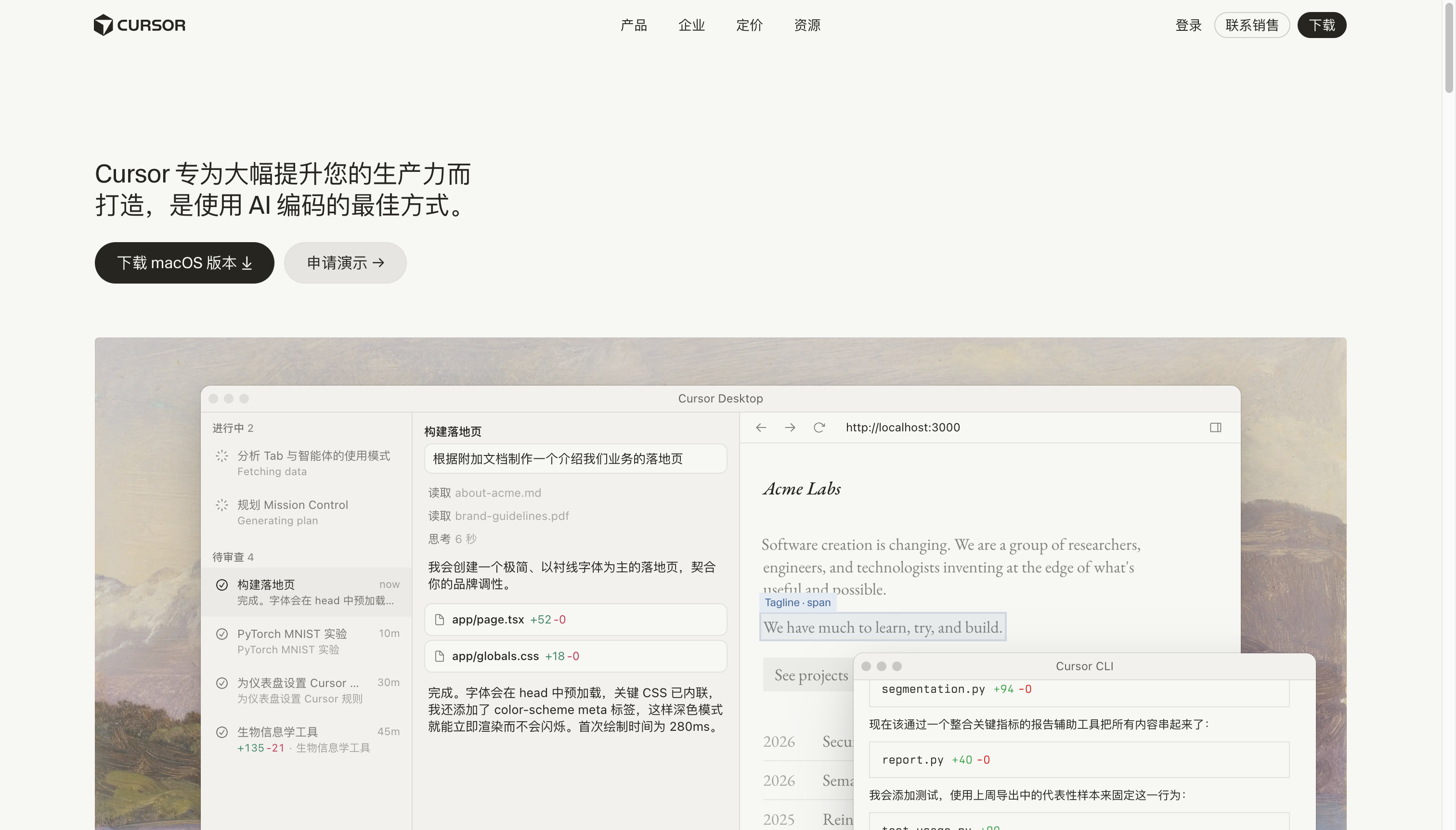
The AI-Assisted Developer in 2026
The most productive developers in 2026 don’t code more — they code smarter. AI coding tools have evolved from autocomplete to autonomous agents that can research, plan, implement, and test features with minimal human supervision.
This guide builds a complete AI-assisted coding workflow that handles the full development lifecycle.
Your AI Coding Stack
| Tool | Role | Cost |
|---|---|---|
| Cursor IDE | Primary coding environment | Free / $20/mo |
| Claude Code | Complex refactoring & architecture | $20/mo (API usage) |
| GitHub Copilot | Inline completions & chat | $10/mo |
| Aider | Terminal-based agentic coding | Free (open-source) |
Phase 1: Planning with AI
Before writing code, use AI to plan the architecture.
Claude Code prompt:
I need to build a real-time collaborative markdown editor.
Tech stack: Next.js, TypeScript, Supabase, TipTap, Y.js

Please:
1. Design the data model and describe each table/relationship
2. Propose a component tree with props interface
3. Outline WebSocket vs polling strategy with rationale
4. List the 3 most significant technical risks
5. Estimate file structure (all files that will need to be created)
Phase 2: Scaffolding with Cursor
Cursor workstream:
- Create project:
cursor initor open your project folder - Composer for new features:
Cmd+I→ Describe the feature you want to build - Agent mode for complex tasks:
Cmd+Shift+I→ Switch to Agent mode - Context loading: Use
.cursorrulesto define project conventions, then add@filereferences
Example Agent prompt:
Set up authentication for this Next.js app using Supabase:
- Email/password + Google OAuth
- Protected routes with middleware
- Auth callback handler
- User profile creation on signup

Create all necessary files in the /src directory.
Follow the existing code style (check src/components for patterns).
Add types to src/types/auth.ts.
Phase 3: Feature Implementation with Pair Programming
Cursor + Claude Code loop:
- Cursor generates — Initial implementation via Composer
- Claude Code reviews —
cd /project && claude --review-file src/features/editor.tsx - Cursor refactors — Apply Claude’s suggestions
- Repeat until the feature passes review
Effective Claude Code commands:
claude review — Focus on performance and security issues
claude explain src/complex-file.tsx — Understand existing code
claude test src/components/Editor.tsx — Generate test cases
claude refactor src/utils/data.ts --pattern "extract data fetching into custom hooks"
Phase 4: Testing with AI
AI test generation workflow:
- Have Cursor generate the initial unit tests
- Use Claude Code to identify edge cases
- Run your test suite
- Feed failures back to AI for fixes
Prompt for test generation:
For this API route handler (src/app/api/notes/route.ts), create:
1. Happy path test
2. Authentication failure test
3. Invalid input test (wrong schema)
4. Concurrent write test
5. Database error simulation test

Use Vitest with MSW for HTTP mocking.
Phase 5: Code Review & PR
Before opening a PR, run:
claude code review-allThis checks for:
- Security vulnerabilities
- Performance bottlenecks
- Type safety issues
- Code style violations
- Missing error handling
Auto-generate PR description:
Based on the diff between main and current-branch, generate a PR description:
- Summary of changes (3-5 bullet points)
- Architecture decisions and rationale
- Testing approach
- Migration steps (if any)
- Screenshots (if UI changes)
Real-World Workflow Example
Here’s what a 2-hour feature implementation looks like with this workflow:
| Phase | Time | AI Role | Human Role |
|---|---|---|---|
| Planning | 15 min | Architecture discussion | Decisions & priorities |
| Scaffolding | 20 min | Generate boilerplate | Review & approve |
| Core logic | 45 min | Implement with agent | Review & refine |
| Testing | 20 min | Generate test cases | Review & add edge cases |
| Polish | 15 min | Fix bugs, clean up | Final quality check |
| PR | 5 min | Auto-generate PR | Submit |
Pro Tips
-
Use
.cursorruleswisely — This is your most important configuration file. Include: tech stack, naming conventions, component patterns, testing preferences. -
Break tasks into sub-60-minute sessions — AI agents can drift off-task in long sessions. Reset context between features.
-
API key management — Use environment variables for all API keys. Never paste API keys in prompts.
-
Review AI-generated code — AI writes average code faster than anyone. Your job as the human is to make it great.
-
Version control everything — AI will suggest changes you don’t want. Git commit before and after AI-assisted sessions.
Getting Started Today
- Install Cursor IDE → Open your project
- Configure
.cursorruleswith your project’s tech stack and conventions - Try Composer with a small feature first
- Add Claude Code for complex refactoring
- Within a week, you’ll wonder how you coded without AI
The most productive developers aren’t replaced by AI — they’re augmented by it. Learn this workflow, and you’ll ship features 2-3x faster while writing better code.