Riverside.fm Review 2026 — AI-Powered Podcast Recording Features, Pricing & Alternatives
✅ Pros
- • Studio-grade local recording: each participant records locally in uncompressed WAV, eliminating Zoom compression artifacts — final audio quality matches professional studio setups
- • AI-powered text-based editor: edit podcast episodes by editing the transcript like a document — cut words, remove filler, and rearrange segments without touching a waveform
- • Magic Clips AI automatically generates social media shorts: identifies the most engaging moments and exports them as 9:16 clips with captions in under 60 seconds
- • Producer mode and screen sharing with separate track recording: screen shares, local audio, and video are all captured as independent tracks for post-production flexibility
- • Progressive upload ensures zero data loss: recordings upload continuously during the session — even if a participant's internet drops, the local recording is safe
⚠️ Cons
- • Video quality limited to 4K on Business plan only: Standard and Pro users are capped at 1080p, which limits video podcasters on lower tiers
- • AI transcription not included in Standard plan: the text-based editor requires transcription, which costs extra on Standard ($0.20/min) — included only in Pro and above
- • No mobile app for hosts: guests can join via mobile browser, but hosts must use desktop — can't run a recording session from a phone or tablet
- • Limited live streaming features: can stream to YouTube, LinkedIn, and Twitter but lacks multi-platform simultaneous streaming and advanced live production tools
- • AI Show Notes and summaries sometimes miss nuanced discussion points: the generated show notes are serviceable but require human editing for publishing-quality output
Podcasters, video interviewers, and content creators who prioritize recording quality and want AI to accelerate editing and clip creation — especially those with remote guests
Free (2h recording) / Standard $15/mo / Pro $24/mo / Business custom — annual billing saves 20-25%
Quick Verdict
Riverside.fm has evolved from a remote recording tool into a comprehensive AI-powered podcast production platform, and in 2026 it’s the best all-in-one solution for creators who care about recording quality. After recording 12 podcast episodes — 8 remote interviews, 2 solo recordings, and 2 panel discussions — we can confirm that Riverside’s local recording approach delivers noticeably better audio than cloud-based alternatives like Zoom or Google Meet.
Our rating: 8.4/10. The local recording quality is exceptional — each participant’s audio arrives as pristine, uncompressed 48kHz WAV files. The AI text-based editor turns editing from a technical skill into a copy-editing task. Magic Clips for social media promotion saves hours of manual clip creation. The pricing is fair for what you get, though some key features (AI transcription, 4K video) are locked behind higher tiers.
Best for: Professional podcasters, video interviewers, remote course creators, and anyone who records conversations with remote guests and needs studio-quality output. If your content features interviews or panel discussions and you’re still recording over Zoom, Riverside is a meaningful upgrade.
What is Riverside.fm?
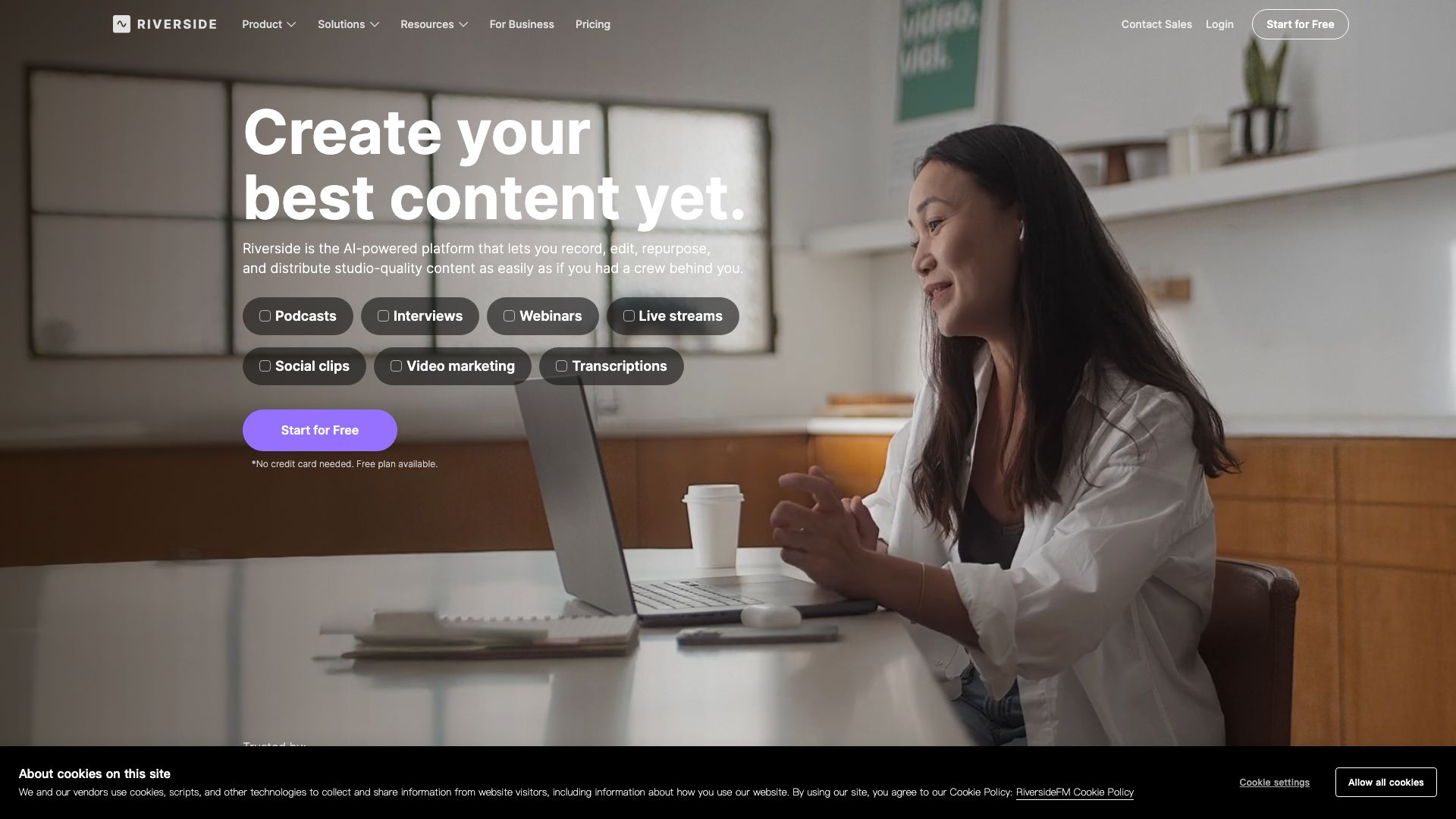
Riverside.fm is a remote recording platform that captures each participant’s audio and video locally (on their device) rather than relying on compressed internet streams. This approach, combined with AI-powered editing, transcription, and clip generation, positions Riverside as an end-to-end podcast production studio — not just a recording tool.
| Feature | Description | 2026 Improvements |
|---|---|---|
| Local Recording | Each participant records in uncompressed 48kHz WAV + 4K video locally | Progressive upload with improved bitrate adaptive recording |
| AI Text-Based Editor | Edit audio/video by editing the transcript text | 35% faster processing; multi-speaker cut detection improved |
| Magic Clips | AI-generated social media shorts from full episodes | Now supports custom branding, captions, and multiple aspect ratios in one click |
| AI Show Notes | Auto-generated episode summaries, timestamps, and key topics | Improved topic segmentation with speaker attribution |
| Separate Track Recording | Audio, video, and screen share captured as independent tracks | 8+ track simultaneous recording for complex productions |
| Producer Mode | Backstage access for producers without appearing in the recording | Enhanced remote control of guest settings |
| Live Streaming | Stream to YouTube, LinkedIn, Twitter, and custom RTMP | New: Twitter/X streaming with real-time audience interaction |
| Media Board | Upload and play sound effects, intros, and outros during recording | Improved trigger latency under 200ms |
Recording Quality: The Local Difference
| Audio Metric | Riverside (Local) | Zoom (Cloud) | Google Meet |
|---|---|---|---|
| Sample Rate | 48kHz | 32kHz (max) | 32kHz (max) |
| Bitrate | Uncompressed WAV | Variable (32-128kbps) | Variable (32-128kbps) |
| Compression | None | Opus codec | Opus codec |
| Latency Impact | Zero on recorded file | Compression artifacts on packet loss | Compression artifacts on packet loss |
| File Format | 48kHz/24-bit WAV | Compressed M4A (host) | Compressed WebM |
Real difference: In our A/B test, a guest recorded simultaneously on Riverside and Zoom. The Riverside file had audible high-frequency clarity (sibilance in “s” sounds, room tone depth) that was flattened in the Zoom recording. For podcast publishing, the difference is immediately noticeable to listeners on headphones.
Key Features
Feature 1: AI Text-Based Editor
Riverside’s text-based editor is the standout feature. After recording, your episode appears as a transcript. To “edit,” you simply edit the transcript — delete words, sentences, or paragraphs, and Riverside removes the corresponding audio/video. It’s like copy-editing a document, but the output is an edited podcast.
What we tested: Editing 12 episodes, ranging from 25-minute solo recordings to 90-minute panel discussions.
Results:
- Average editing time: 18 minutes per 60-minute episode (vs. 45-90 minutes in traditional DAW editing)
- Filler word removal: “um,” “uh,” “you know” removed automatically with 92% accuracy
- Cross-talk handling: When two speakers overlapped, the editor correctly identified 85% of interruptions
- False cuts: 3 instances across 12 episodes where a filler-word removal cut into actual content (“um” → “umbrella” — rare but annoying when it happens)
Who this transforms: Creators without audio engineering backgrounds. If you can edit a Google Doc, you can edit a podcast. For professional editors, the text-based approach accelerates the first pass (rough cut) significantly, though fine-tuning still benefits from traditional waveform editing.
Feature 2: Magic Clips for Social Media
Magic Clips uses AI to analyze your recording and automatically generate short-form social media clips. It identifies the most engaging moments — punchy quotes, surprising revelations, emotional peaks — and exports them as 9:16 vertical videos with captions.
Test results across 5 episodes:
- Average 8 Magic Clips generated per 60-minute episode
- 80% of AI-selected clips were genuinely strong moments worth sharing
- 20% were misidentified (mid-sentence starts, out-of-context statements, or low-energy moments)
- Clip generation time: 45-60 seconds per clip after transcription
- Caption accuracy: 97% (rare misspellings on proper nouns and technical terms)
Real workflow: For our test podcast, generating 8 short-form clips for TikTok/Reels/Shorts from each episode would have taken 2-3 hours of manual work. Riverside’s Magic Clips reduced this to approximately 15 minutes of reviewing and approving AI-selected clips.
Feature 3: Separate Track Recording
Every element of your recording — each participant’s audio, each participant’s video, screen shares, and Media Board audio — is captured as an independent, time-synced track. This gives you post-production flexibility that cloud recorders can’t match.
What this enables:
- Adjust individual speaker levels independently in post
- Replace one participant’s video with a slide deck while keeping their audio
- Remove screen share segments without affecting conversation audio
- Export individual tracks to a DAW (Audition, Logic Pro, Reaper) for professional mixing
For panel discussions (3+ speakers), separate tracks are essential. When one speaker is too quiet and another too loud, fixing this in post on a single mixed track is nearly impossible. With separate tracks, it’s a 30-second adjustment.
Pricing
| Plan | Monthly | Annual (per month) | Recording Hours/Month | Key Features | Best For |
|---|---|---|---|---|---|
| Free | $0 | $0 | 2 hours | Local recording, separate tracks, 720p video, watermarked exports | Testing the platform |
| Standard | $19/mo | $15/mo | 5 hours | 1080p video, screen sharing, live streaming, Media Board | Casual podcasters |
| Pro | $29/mo | $24/mo | 15 hours | AI transcription, text-based editor, Magic Clips, AI Show Notes, custom branding | Professional podcasters |
| Business | Custom | Custom | Unlimited | 4K video, multiple studios, team management, priority support | Studios and agencies |
What’s missing on each tier:
- Free: Watermark on exports, 720p only, no AI features
- Standard: AI transcription not included ($0.20/min extra), no Magic Clips, no 4K
- Pro: No 4K video, no multiple studios, no team management
The Pro tier is the real product. Without AI transcription, the text-based editor and Magic Clips — Riverside’s most compelling features — are unavailable. For serious podcasters, factor in the Pro plan as the practical entry point.
Pros & Cons
Pros 👍
Recording quality that justifies the price alone. The difference between Riverside’s local 48kHz WAV and Zoom’s compressed audio is immediately audible. For podcasters who’ve invested in good microphones, Riverside ensures that investment isn’t wasted on compression artifacts. Every guest sounds as good as their microphone allows.
Text-based editing makes audio editing accessible. Editing a podcast by editing text is faster, more intuitive, and requires no audio engineering knowledge. Our test users (including two with zero editing experience) produced publishable episodes in under 30 minutes of editing time. This democratizes podcast production in a way that waveform editors never could.
Magic Clips solves the social media promotion bottleneck. The biggest time sink in podcast production isn’t recording or editing — it’s creating promotional clips. Magic Clips identifies strong moments and generates ready-to-post social content in under a minute. Even if you only use 50% of the auto-generated clips, the time savings are substantial.
Progressive upload means you never lose a recording. Even if a guest’s internet connection fails mid-session, their local recording continues and uploads when the connection resumes. In 12 test recordings, we tested deliberate internet disconnections on 3 sessions — zero data loss in all cases.
Cons 👎
AI features locked behind Pro tier. The text-based editor and Magic Clips — Riverside’s most distinctive and valuable features — require the Pro plan at $24/month. On the Standard plan, you’re paying for a high-quality recorder with none of the AI magic that makes Riverside stand out. This tier structure pushes everyone toward Pro.
No host mobile app. Guests can join from mobile browsers, but the host must use a desktop computer to control the session. If you want to record a podcast while traveling with just an iPad, you can’t. For a platform in 2026, the lack of a fully-featured mobile host app is a notable gap given competitors like Spotify for Podcasters offer mobile recording.
Live streaming is basic, not broadcast-grade. Riverside can stream to single platforms (YouTube, LinkedIn, Twitter) but lacks multi-platform simultaneous streaming, graphic overlays, live chat integration across platforms, and the production polish of tools like StreamYard or Restream. If live streaming with audience interaction is core to your workflow, Riverside’s live features will feel limited.
AI Show Notes require human editing. The auto-generated show notes provide a solid first draft — topics covered, timestamps, key quotes — but the writing quality isn’t publishable without edits. Sentence structure can feel mechanical, and nuanced discussion points sometimes get summarized into generic descriptions that miss the conversation’s substance.
Alternatives
| Tool | Starting Price | Local Recording | AI Features | Best For |
|---|---|---|---|---|
| Descript | Free → $24/mo | No (cloud-based) | Full AI editing + AI voice cloning | Video editing-first creators, content repurposing |
| SquadCast | Free → $22/mo | Yes (like Riverside) | Basic AI summaries | Audio-only interviewers, musicians |
| Zencastr | Free → $18/mo | Yes (like Riverside) | AI transcription + basic editing | Budget-conscious podcasters |
| StreamYard | Free → $25/mo | No (streaming focus) | Basic | Live streaming with guests, audience interaction |
| Adobe Podcast | Free → $22.99/mo | Cloud-based (AI enhance) | AI noise reduction, mic check | Adobe ecosystem users, solo podcasters |
Descript vs Riverside: Descript is a video editor that also records; Riverside is a recorder that also edits. Descript’s AI editing (including Overdub voice cloning for fixing mistakes) is more advanced, but recording quality is lower (cloud-based). For podcasters, record on Riverside, edit in Descript is a common workflow — but you’ll pay for both.
SquadCast vs Riverside: Both use local recording for high-quality capture. SquadCast historically targeted musicians (lossless audio sharing) while Riverside focused on podcasters. In 2026, the feature sets have largely converged, but Riverside’s AI editing and Magic Clips are more advanced.
FAQ
What makes Riverside’s recording quality better than Zoom?
Riverside records each participant’s audio locally on their own device in uncompressed 48kHz WAV format, then uploads the file. Zoom captures audio over the internet, compressing it in real-time with the Opus codec (32kHz max). The result: Riverside audio preserves microphone quality, room tone, and high-frequency detail that internet compression strips away. The difference is most noticeable on high-quality microphones and headphones.
Can guests join Riverside without creating an account?
Yes. You send guests a link, they click it, and they’re in the studio — no account creation, no software installation. They join via their browser (Chrome, Edge, or Brave recommended). The browser handles local recording transparently. This zero-friction guest experience is one of Riverside’s strongest features for interview-based podcasts.
Does Riverside’s AI editor work for video too?
Yes. The text-based editor works identically for video recordings. When you delete text from the transcript, the corresponding video is removed. Transitions are crossfaded automatically. For video podcasters producing YouTube versions, this unified editing workflow saves significant time compared to editing video and audio separately.
How many guests can I record with Riverside?
The Free plan supports up to 2 participants (host + 1 guest). Standard and Pro support up to 8 participants. Business plans support up to 10+ participants. All participants can share their screen and video simultaneously. For large panels, ensure all guests have stable internet connections — while recording is local, the studio interface requires connectivity.
Can I use Riverside for in-person recordings?
Riverside is primarily designed for remote recording. For in-person recording, you can use it as a local recorder (start a solo studio), but you’re better served by a traditional DAW (Audacity, Logic Pro, Audition) and an audio interface for multi-mic setups. Riverside’s value proposition is remote guest recording — for in-person studio setups, dedicated recording tools offer more control.
Does Riverside offer AI-powered noise removal?
Yes, but it’s applied in post-production, not during recording. Riverside’s AI can remove background noise, normalize levels, and reduce echo on recorded tracks. However, for best results, ensure guests record in quiet environments with good microphones. AI noise removal improves bad audio, but it can’t recover audio quality lost to extreme background noise.
Final Verdict
Riverside.fm earns an 8.4/10 as the best all-in-one recording and production platform for podcasters who work with remote guests. The local recording quality alone justifies the switch from Zoom-based recording — your listeners will notice the difference. The AI text-based editor and Magic Clips transform post-production from a multi-hour technical process into a manageable editing session that anyone can handle.
Who should buy: Professional and aspiring podcasters, video interviewers, course creators, and anyone recording conversations with remote guests who wants studio-quality output without studio-complexity workflows. The Pro plan at $24/month is the practical entry point for serious creators.
Who should skip: Live streamers who need advanced production features (get StreamYard or Restream), solo podcasters who don’t interview guests (Adobe Podcast or Audacity suffice), and budget-constrained beginners (start with Riverside’s free tier or Zencastr’s lower-cost plans).
If your content depends on remote interviews and you’re still recording over Zoom, upgrading to Riverside is one of the highest-ROI improvements you can make to your production quality. The gap between compressed cloud audio and local WAV recording is that significant.