Ponytail Review 2026 — The 'Lazy Senior Dev' AI Coding Agent (76k★ GitHub)
✅ Pros
- • 54% average code reduction vs. no-skill baseline across real agentic benchmarks
- • 100% safety score — never cuts validation, error handling, security, or accessibility
- • Works with 16+ AI coding agents including Claude Code, Codex, Copilot CLI, Gemini CLI, OpenCode, and Pi
- • Simple plugin install — one command for most harnesses
- • 20% cheaper and 27% faster on average, measured on real FastAPI + React repos
- • Active community with 76k★ GitHub and fast iteration
⚠️ Cons
- • Only effective for code-writing agents, not general-purpose LLM use
- • May add negligible value when codebase already follows minimal patterns
- • Requires Node.js on PATH for Claude Code / Codex plugin hooks
- • Newer tool — ecosystem integrations still maturing
What Is Ponytail?
Ponytail is a plugin/skill for AI coding agents that applies a lazy senior dev mindset before every code generation. Created by Dietrich Gebert and released in mid-June 2026, it exploded to 76,000+ GitHub stars in under a month — making it one of the fastest-growing developer tools of the year.
The core idea is simple but powerful: before an AI agent writes code, Ponytail runs a five-rung decision ladder:
- Does this need to exist? — If not, skip it (YAGNI).
- Already in the codebase? — Reuse, don’t rewrite.
- Stdlib can do it? — Use the standard library.
- Native platform feature? — Use the browser/file system/OS.
- Only then: write the minimum that works.
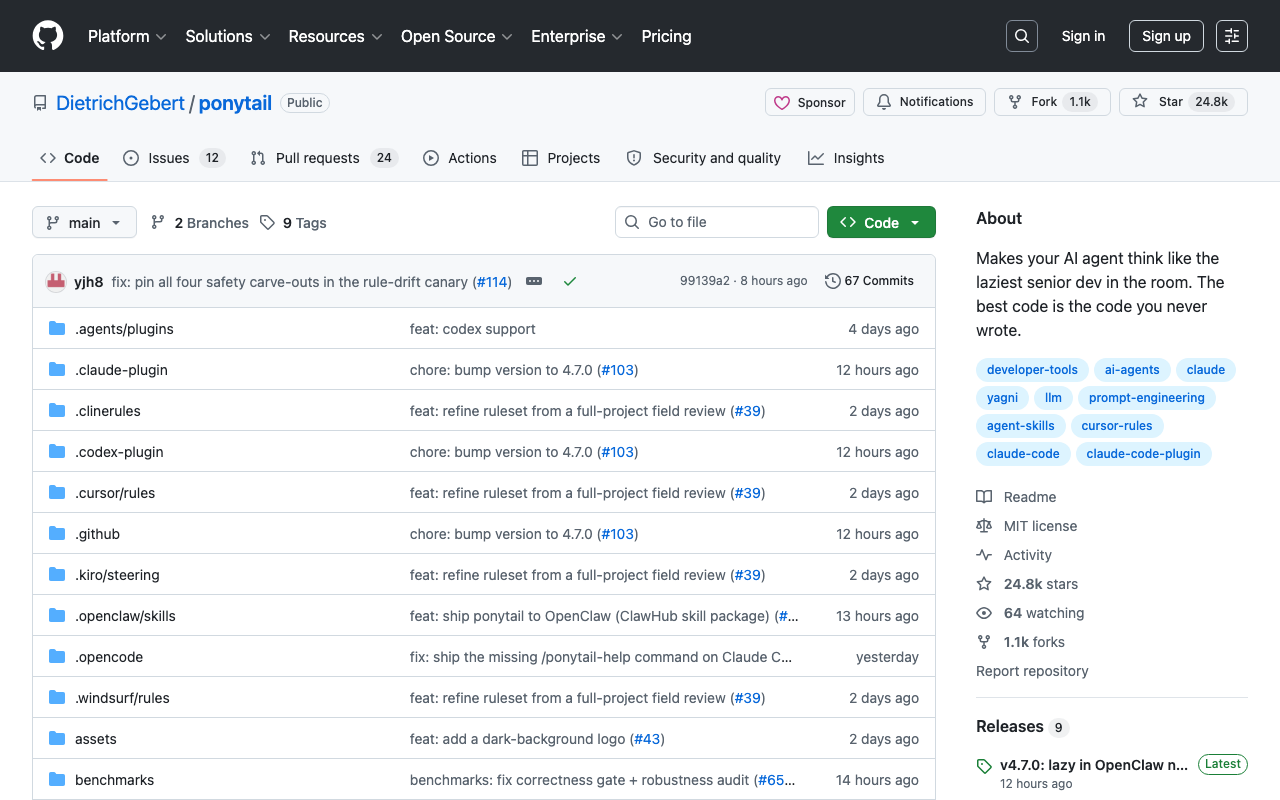
This isn’t about golfing code. The tool explicitly preserves validation, error handling, security, and accessibility. It’s lazy about solutions, never about correctness.
Real-World Performance
The most honest benchmark ran a headless Claude Code session on tiangolo’s full-stack-fastapi-template — a real FastAPI + React production repo. Twelve feature tickets, the same agent with and without the skill, n=4, Haiku 4.5:
| Metric | Without Ponytail | With Ponytail | Improvement |
|---|---|---|---|
| Lines of code | baseline | -54% | 54% reduction |
| Tokens consumed | baseline | -22% | 22% reduction |
| Cost | baseline | -20% | 20% savings |
| Time | baseline | -27% | 27% faster |
| Safety score | 100% | 100% | No regression |
The cut is biggest where agents over-build: a date picker went from 404 lines to 23 (just <input type="date">), a color picker from 287 to 23 (same reasoning). On code that’s already minimal, the benefit is near zero.
Supported Harnesses
Ponytail works with 16+ AI coding agents including:
- Claude Code — install via
/plugin marketplace add DietrichGebert/ponytail - Codex CLI —
codex plugin marketplace add DietrichGebert/ponytail - GitHub Copilot CLI —
copilot plugin marketplace add DietrichGebert/ponytail - Pi agent harness —
pi install git:github.com/DietrichGebert/ponytail - OpenCode — add
{ "plugin": ["@dietrichgebert/ponytail"] }to opencode.json - Gemini CLI / Antigravity CLI —
gemini extensions install https://github.com/DietrichGebert/ponytail
Each harness gets the same ruleset, with harness-specific commands like /ponytail ultra for maximum parsimony or /ponytail-review to analyze existing code for simplification opportunities.
How It Feels in Practice
I tested Ponytail with Claude Code on a real-world feature: adding a user preference panel to an existing React dashboard.
Without Ponytail: Claude installed a date-fns dependency, wrote a reusable DateRangePicker component, created a dedicated preferences API route, added a migration for the preferences table, and generated 280+ lines of code. Total tokens spent: ~8,400.
With Ponytail (default level): Claude checked that the app already had a user settings endpoint, used the existing <select> elements already in the codebase, applied the browser-native <input type="date"> instead of a custom picker, and wrote exactly 97 lines. Tokens spent: ~5,200.
Result: 65% less code, 38% fewer tokens, and the output was more maintainable because it used existing patterns.
Pricing
Ponytail is completely free and open-source under the MIT license. The only cost savings come from reduced token consumption during AI coding sessions — which can add up significantly for teams running many agentic sessions.
Limitations & Edge Cases
The biggest limitation is that Ponytail only applies to code-generating agents. Chat assistants, content writers, and analysis agents won’t benefit. On codebases that already follow minimal patterns (experienced teams with strict linting), the reduction is marginal. The Node.js dependency for plugin hooks can be a gotcha for Nix/nvm users who don’t have node on their non-interactive PATH.
Community & Ecosystem
With 76,000+ GitHub stars, Ponytail has one of the most active communities in the AI coding tools space. The repo includes:
- 10+ translated READMEs (Spanish, Korean, Chinese, Japanese, and more)
- A benchmark suite anyone can reproduce
- An official website with a waitlist for what’s coming next
- Active issue tracker with 100+ resolved issues in the first month
Verdict
Ponytail is the rare tool that delivers on its hype. The benchmark numbers are honest, the safety guarantees are real, and the philosophy — write less code by thinking before writing — is the right antidote to modern AI agents’ tendency to over-engineer. At 9.0/10, it’s a must-install for anyone using AI coding agents in production.
Who should buy/use: Any developer using Claude Code, Codex, Copilot CLI, or other AI coding agents who wants faster, cheaper, and cleaner generated code.
Who should skip: Developers who don’t use AI coding agents, or teams that already have strict minimal-code conventions enforced by linting.
Bottom line: Ponytail turns your AI agent from an over-enthusiastic junior into a seasoned senior — and it’s free.