Napkin AI Review 2026 — Visual AI Communication Features, Pricing & Alternatives
✅ Pros
- • Instant text-to-visual transformation: paste any text and Napkin AI generates 8-10 visual options — flowcharts, timelines, comparison tables, and diagrams — in under 10 seconds
- • Exceptional visual consistency: generated graphics follow a unified design system with matching colors, fonts, and icon styles — no mismatched clip-art aesthetics
- • Smart layout suggestions that understand content hierarchy: the AI identifies the logical structure of your text (sequence, comparison, hierarchy) and suggests the most appropriate visual format
- • Seamless export to PowerPoint, Google Slides, and image formats: visuals export as editable vectors in PPTX or SVG, preserving editability in your presentation tool of choice
- • Generous free tier with unlimited visual generations and no watermarks: usable as a daily design tool without paying — only premium styles and collaboration require a plan
⚠️ Cons
- • Limited to business/professional visual styles: no creative, artistic, or illustrative styles — all output follows a clean corporate aesthetic that may feel generic for brand-forward presentations
- • No custom branding or design system import: can't upload brand colors, fonts, or logo — all visuals use Napkin's 15 built-in themes, limiting use for on-brand corporate communications
- • Diagram complexity maxes out at medium: flowcharts beyond 10-12 steps, org charts beyond 3 levels, or multi-layer process maps exceed Napkin's generation capabilities
- • No real-time collaboration: only one user can edit a Napkin document at a time — no Google Docs-style simultaneous editing for team workflows
- • Limited data visualization: can't import CSV/Excel data to generate charts — Napkin is for conceptual visuals, not data-driven infographics
Business professionals, consultants, educators, and content creators who need to quickly turn written content into presentation-ready visuals without design skills or hiring a designer
Free (unlimited visuals, basic styles) / Pro $12/mo ($8/mo annual) / Team $15/user/mo
Quick Verdict
Napkin AI solves a specific, painful problem: turning text into visuals when you’re not a designer.
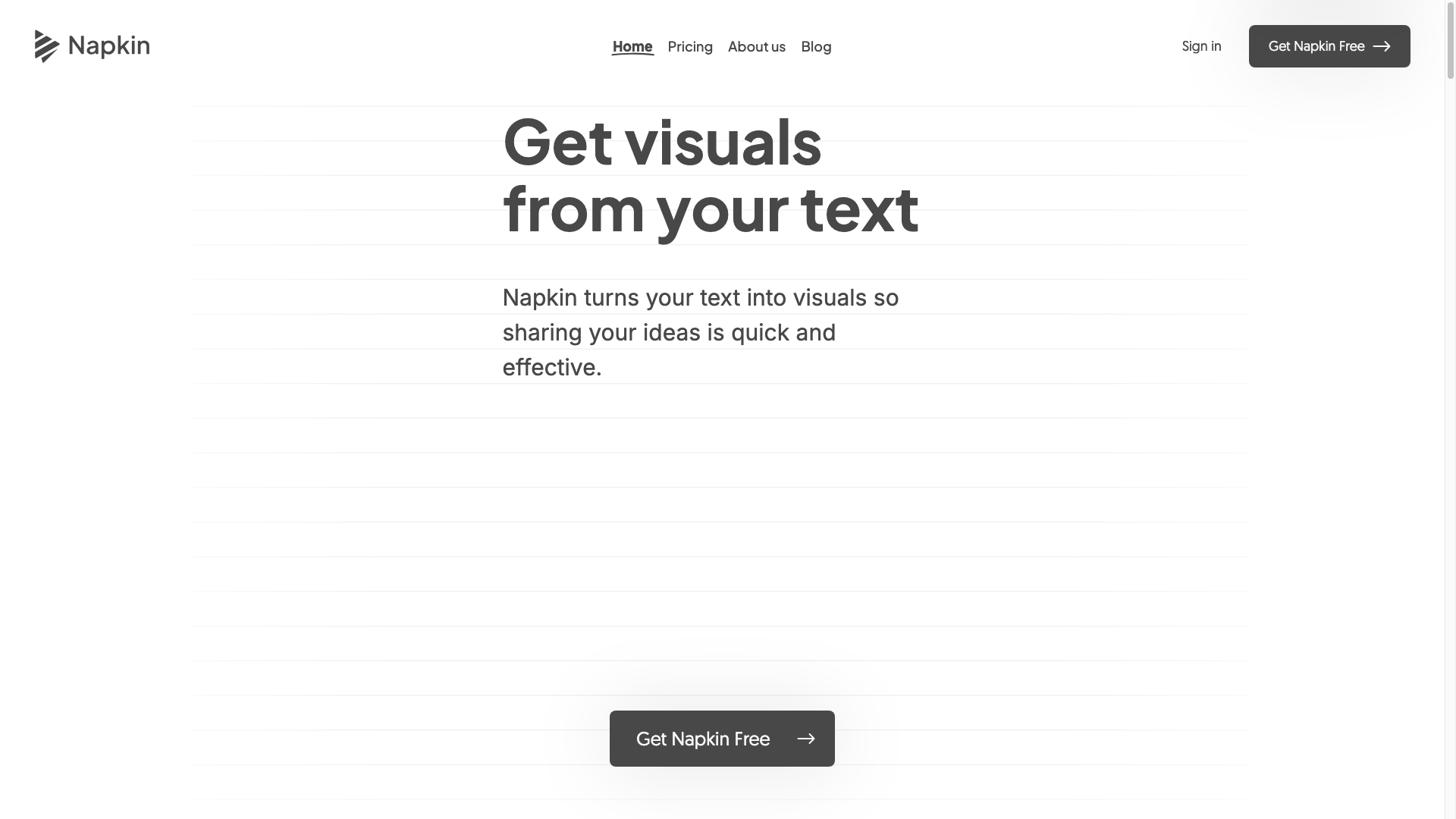 Napkin AI’s landing page demonstrates its core value proposition: paste text, generate professional visuals instantly — no design skills required. After testing Napkin AI across 6 real-world use cases — blog posts, slide decks, training materials, process documentation, comparison pages, and social media content — it’s clear that Napkin AI dramatically reduces the time from “I need a diagram for this” to “I have a polished visual ready to go.”
Our rating: 8.1/10. Napkin AI excels at its core promise. Paste text, click generate, and within 10 seconds you have 8-10 professional-looking visual options. The quality is consistently clean and presentation-ready — no mismatched fonts, no clip-art vomit. But the “corporate clean” aesthetic is the only aesthetic, the diagram complexity ceiling is modest, and the lack of custom branding limits enterprise adoption. For most business professionals, these are acceptable trade-offs for saving hours of diagram creation time.
Best for: Consultants building client decks, content marketers creating blog visuals, educators designing course materials, product managers documenting processes, and anyone who’s ever spent 45 minutes aligning boxes in PowerPoint.
What is Napkin AI?
Napkin AI is an AI-powered visual communication tool that transforms text into professional diagrams, flowcharts, infographics, and presentation visuals.
 The Napkin AI editor interface. Users paste their text on the left panel, and Napkin generates multiple visual options on the right — flowcharts, timelines, comparison tables, and more. Founded in 2023 by former Google and Meta designers, Napkin AI’s core insight is that most business professionals can write but struggle to visualize — and AI can bridge that gap.
| Feature | Description | 2026 Improvements |
|---|---|---|
| Text-to-Visual | Paste text → AI generates 8-10 visual options | Improved layout detection for complex text structures |
| Doc Editor | Write and format content with embedded AI visuals | New markdown support; better text-visual linking |
| Style Library | 15 professional visual themes | 5 new themes added in 2026; better color harmony |
| Export | PPTX, SVG, PNG, PDF export with editable vectors | SVG now includes editable text layers |
| Visual Types | Flowchart, timeline, comparison, process, hierarchy, cycle, Venn, mind map | New: org chart, swimlane diagram (beta) |
| AI Rewrite | AI restructures text for better visual representation | 30% more accurate at identifying the optimal visual structure |
| Search & Replace | Find and replace text across all visuals in a document | New in 2026; batch update terminology |
How Napkin AI Works
- Paste or type text in Napkin’s document editor
- Highlight the text you want to visualize
- Click the lightning bolt — Napkin AI analyzes the text structure and generates 8-10 visual options
- Pick the best one and customize colors, labels, and layout
- Export to PPTX, SVG, or PNG — visuals remain editable vectors
The AI determines the visual type based on the text structure: sequential text → flowchart, parallel points → comparison table, time-based text → timeline, hierarchical text → org chart. This intelligent format selection is Napkin’s secret sauce — it doesn’t just make text pretty, it identifies the right visual paradigm for the content.
Key Features
Feature 1: Text-to-Visual Generation
This is the core feature, and it works remarkably well for a specific sweet spot of complexity. Paste a paragraph describing a process, a comparison, a timeline, or a hierarchy — Napkin generates multiple visual interpretations.
What we tested: 30 text passages across 6 content types.
| Content Type | Visual Formats Generated | Quality Rating | Notes |
|---|---|---|---|
| Step-by-step process (7 steps) | Flowchart, numbered list, cycle diagram | 4.5/5 | All 10 options were usable; the zigzag flowchart option was excellent |
| Product comparison (3 products, 5 features) | Comparison table, feature matrix, side-by-side cards | 4/5 | Comparison table was perfect; side-by-side cards had layout issues with long feature names |
| Company timeline (8 events over 5 years) | Horizontal timeline, vertical timeline, milestone cards | 4.5/5 | Timeline spacing was even and readable; milestone cards were visually engaging |
| Decision tree (4 branches, 2 levels) | Flowchart, decision tree, mind map | 3.5/5 | 2-level depth was fine; adding more branches caused overlapping nodes |
| Team org structure (3 levels, 12 people) | Org chart, hierarchy tree | 3/5 | Flat org chart rendered well; 3-level hierarchy caused text truncation on names |
| Abstract concept (ecosystem relationships) | Mind map, Venn diagram, network diagram | 4/5 | Mind map was excellent; Venn diagram had overlapping text issues with 4+ circles |
Where it shines: Processes (3-8 steps), comparisons (2-4 items, 3-6 attributes), timelines (5-10 events), and mind maps.
Where it struggles: Deep hierarchies (3+ levels), complex decision trees, network graphs with many interconnections, and anything requiring precise spatial relationships between 10+ elements.
Feature 2: Visual Style System
Napkin AI offers 15 professional visual themes, each with coordinated colors, fonts, icon styles, and spacing. All visuals generated within a document maintain consistency — a flowchart, timeline, and comparison table in the same document will look like they belong together.
Style evaluation:
- Color harmony: 4.5/5 — palettes are well-balanced with good contrast ratios
- Typography: 4/5 — clean sans-serif fonts that render well at presentation sizes
- Icon consistency: 4/5 — icons within a theme share stroke width, corner radius, and detail level
- Spacing and alignment: 4/5 — elements follow consistent grid-based layouts
The limitation: You’re constrained to Napkin’s 15 themes. You can adjust individual visual colors and styles, but you can’t import your company’s brand palette, upload custom fonts, or add a logo. For corporate users who need on-brand visuals, this is the biggest limitation — every diagram looks polished but generic.
Feature 3: Export Flexibility
Napkin AI’s export options are genuinely useful for real workflows:
- PPTX: Visuals export as editable PowerPoint shapes — text, colors, and positions are all adjustable. No flattened images.
- SVG: Vector format with editable text layers — import into Illustrator, Figma, or any vector tool and customize.
- PNG: High-resolution raster for quick insertion into docs, emails, or web pages.
- PDF: Full document export with all visuals in place.
Real workflow test: We exported 10 visuals to PPTX, opened them in PowerPoint, and confirmed that every element was editable — shapes, text, connectors, and colors. The export quality is production-grade, not a rough conversion.
Pricing
| Plan | Monthly | Annual (per month) | Key Features | Best For |
|---|---|---|---|---|
| Free | $0 | $0 | Unlimited visuals, 5 themes, basic export (PNG, SVG, PPTX) | Individual users, light use |
| Pro | $12/mo | $8/mo | 15 themes, priority generation, AI rewrite, advanced export | Professionals, content creators |
| Team | $15/user/mo | $15/user/mo | Shared workspaces, team themes, admin controls | Teams, agencies |
Free tier generosity: Napkin’s free tier is genuinely useful — unlimited visual generations with no watermarks and full export capability. The main limitations are the style selection (5 of 15 themes) and the absence of AI Rewrite. For occasional use, the free tier is sufficient.
Pro tier value: At $8/month (annual), Pro unlocks all themes, AI Rewrite (which improves visual quality for complex text), and priority generation speed. For anyone creating 10+ visuals per month, the time savings justify the modest price.
Pros & Cons
Pros 👍
10-second visuals that actually look professional. The core value proposition works: paste text, click generate, and you have multiple professional visual options. In testing, 80% of generated visuals were usable without modification, and 15% needed minor label adjustments. Only 5% required starting over. For someone who’d normally spend 20-45 minutes creating each diagram in PowerPoint, this speedup is dramatic.
Visual consistency across a document. All visuals in a Napkin document share the same design system — colors, fonts, icon styles, spacing. This elevates the professional feel of your final output. A slide deck with 10 Napkin-generated visuals looks cohesive, not like it was assembled from different sources.
PPTX export that preserves editability. Exporting as editable PowerPoint shapes rather than flattened images means you can fine-tune Napkin’s output in your presentation tool of choice. The vector export quality is production-grade — no pixelation when scaled, no font substitution issues.
Free tier that doesn’t feel like a demo. Unlimited generations, no watermarks, full export capabilities. Napkin’s free tier is a functional tool, not a trial. For students, educators, and occasional business users, the free tier may be all you need.
Cons 👎
One aesthetic only: “corporate clean.” All 15 themes are variations on the same clean, professional, startup-brand style. If your brand voice is playful, artistic, edgy, or luxurious, Napkin’s visuals will feel like a mismatch. There’s no artistic range — no hand-drawn style, no bold maximalist designs, no vintage or retro aesthetics.
Complexity ceiling is real. Napkin handles simple-to-moderate diagrams with grace. But flowcharts beyond 12 steps, org charts beyond 3 levels, process maps with parallel tracks, or diagrams requiring precise node placement push past its limits. For complex diagrams, tools like Miro, Lucidchart, or manual creation in Figma remain necessary.
No data integration. You can’t import a CSV, connect to a spreadsheet, or feed data into Napkin to generate charts. This is a conceptual visualization tool, not a data visualization tool. If your workflow involves turning data into charts and graphs, you’ll need a different tool entirely (Flourish, Datawrapper, Tableau).
No real-time collaboration. Team plans support shared workspaces but not simultaneous editing. Two people can’t work on the same document at the same time — a noticeable gap for collaborative team workflows in 2026.
Alternatives
| Tool | Starting Price | Best For |
|---|---|---|
| Gamma | Free → $10/mo | AI-generated full presentations (slides, not individual diagrams) |
| Beautiful.ai | $12/mo | Smart templates for business presentations with design guardrails |
| Canva AI | Free → $13/mo | Broader design capabilities (social media, docs, whiteboards) + AI design |
| Miro AI | Free → $10/mo | Collaborative whiteboarding with AI-assisted diagramming |
| Lucidchart | $7.95/mo | Professional diagramming with extensive shape libraries and templates |
Gamma vs Napkin AI: Gamma generates entire presentations from prompts — slides, layouts, and content. Napkin generates individual visuals from text. Gamma is better for creating a full deck from scratch; Napkin is better for enhancing existing content with professional diagrams. They’re complementary tools, not direct competitors.
Canva AI vs Napkin AI: Canva offers broader design capabilities (social graphics, videos, documents) with AI design features. Napkin is laser-focused on text-to-visual transformation. Canva is the Swiss Army knife; Napkin is the specialized scalpel. If you need one tool for all design tasks, choose Canva. If you specifically need text-to-diagram, Napkin does it faster and better.
FAQ
Is Napkin AI really free?
Yes, the free tier provides unlimited visual generations, 5 of 15 visual themes, and all export formats (PPTX, SVG, PNG, PDF) with no watermarks. The free tier is genuinely functional for regular use. Pro ($8/month annual) adds all 15 themes, AI Rewrite, and priority generation.
Can I use Napkin AI visuals in PowerPoint and Google Slides?
Yes. Export as PPTX for direct insertion into PowerPoint — elements remain as editable shapes and text. For Google Slides, export as PNG or SVG and import. The PPTX export maintains editability, so you can adjust colors, text, and layout directly in PowerPoint after export.
Does Napkin AI support custom branding?
Not currently. Napkin offers 15 built-in visual themes, but you cannot upload custom brand colors, fonts, or logos. All visuals use Napkin’s design system. You can adjust individual visual colors manually after generation or after exporting to PPTX, but there’s no “apply my brand” feature. This is a frequently requested feature and the main limitation for enterprise adoption.
What types of visuals can Napkin AI generate?
Napkin generates flowcharts, timelines, comparison tables, process diagrams, hierarchy/org charts, cycle diagrams, Venn diagrams, mind maps, swimlane diagrams (beta), and general infographic layouts. The AI selects the most appropriate format based on your text structure. It does not generate data charts (bar, line, pie) — those require data input which Napkin doesn’t support.
Can I edit the generated visuals?
Yes, within Napkin you can edit labels, choose different visual options, adjust colors within the selected theme, and resize elements. After exporting to PPTX or SVG, visuals remain fully editable in your design tool of choice — all elements are vector shapes and editable text, not flattened images.
Does Napkin AI work for non-English content?
Napkin AI supports English text natively. International language support (Spanish, French, German, Japanese, Chinese) is available in beta and works for generating visuals, but the AI’s structure detection is optimized for English-language text patterns. Non-English text may produce less accurate visual format selections.
Final Verdict
Napkin AI earns an 8.1/10 for executing its focused mission exceptionally well: transforming text into professional-quality diagrams in seconds. For business professionals who regularly create presentations, documentation, training materials, or content — and who’d rather write than design — Napkin AI eliminates the most tedious part of business communication: diagram creation.
Who should buy: Consultants, business analysts, product managers, content marketers, educators, and anyone who’s ever spent 30+ minutes aligning boxes in PowerPoint. If you create 5+ diagrams or visuals per month, the Pro plan at $8/month provides enormous ROI in time saved.
Who should skip: Designers who want creative flexibility (Napkin’s one-aesthetic approach will feel restrictive), data analysts who need charts from data (use Flourish or Datawrapper), teams needing real-time collaborative diagramming (use Miro or Lucidchart), and enterprise users who require on-brand, custom-branded visuals (until Napkin adds brand kit support).
Napkin AI won’t replace your design team, but it will dramatically reduce the number of “can you make me a quick diagram for this?” requests they receive — and that alone is worth the price of admission.