Mem AI Review 2026 — AI-Native Notes App Features, Pricing & Alternatives
✅ Pros
- • AI Auto-Organization eliminates manual filing: Mem automatically tags, links, and surfaces related notes without requiring folders or manual categorization
- • Mem Chat delivers knowledge graph-powered answers: ask any question about your notes and get synthesized responses with citations to source notes
- • Instant capture with zero friction: Cmd+Shift+Space opens Quick Mem from anywhere on macOS, capturing thoughts before they're lost
- • Smart Write uses AI to draft and extend notes contextually: highlight text and the AI continues writing in your voice based on surrounding content
- • Clean, distraction-free interface: minimalist design philosophy means you spend time thinking, not organizing a folder hierarchy
⚠️ Cons
- • No offline access: Mem is entirely cloud-dependent — no internet means no access to your notes, a dealbreaker for frequent travelers
- • Limited export options: export is PDF or Markdown only with no batch export for all notes — potential vendor lock-in concerns
- • No native mobile app parity: iOS app lacks Mem Chat, Smart Write, and several desktop features — mobile users get a stripped-down experience
- • Weak collaboration features: no real-time co-editing, no shared workspaces, no team permissions — effectively a solo tool despite team pricing
- • AI can misfile or surface irrelevant connections: the auto-tagging sometimes creates noisy links between loosely related notes that clutter rather than clarify
Solo knowledge workers, researchers, and writers who accumulate 50+ fragmented notes per week and want AI to handle organization automatically — not teams who need structured collaboration
Free (limited AI) / Mem X $14.99/mo ($8.33/mo annual) / Mem for Teams $12.50/user/mo
Quick Verdict
Mem is the AI-native notes app that rethinks what a knowledge management tool should be: instead of folders, tags, and manual organization, Mem uses AI to automatically structure your notes into a connected knowledge graph. After using Mem as our primary note-taking environment for 30 days — capturing 327 notes across research, meeting prep, article ideas, and project planning — we found that Mem’s auto-organization genuinely reduces cognitive load, but its limitations in offline access, export, and team features make it best suited for solo knowledge workers.
Our rating: 7.8/10. Mem’s AI features represent a genuine paradigm shift in how note-taking should work. The auto-organization and Mem Chat knowledge-graph search are delightful when they work well. But the cloud-only architecture, limited exports, and stripped-down mobile app make it hard to commit to as a long-term system. If you’re willing to trade platform lock-in for friction-free capture, Mem is compelling.
Best for: Individual researchers, writers, founders, and knowledge workers who capture many fragmented thoughts daily and want AI to handle the organizing. If you have 50+ notes accumulating each week across different topics, Mem’s auto-organization will save you real time.
What is Mem AI?
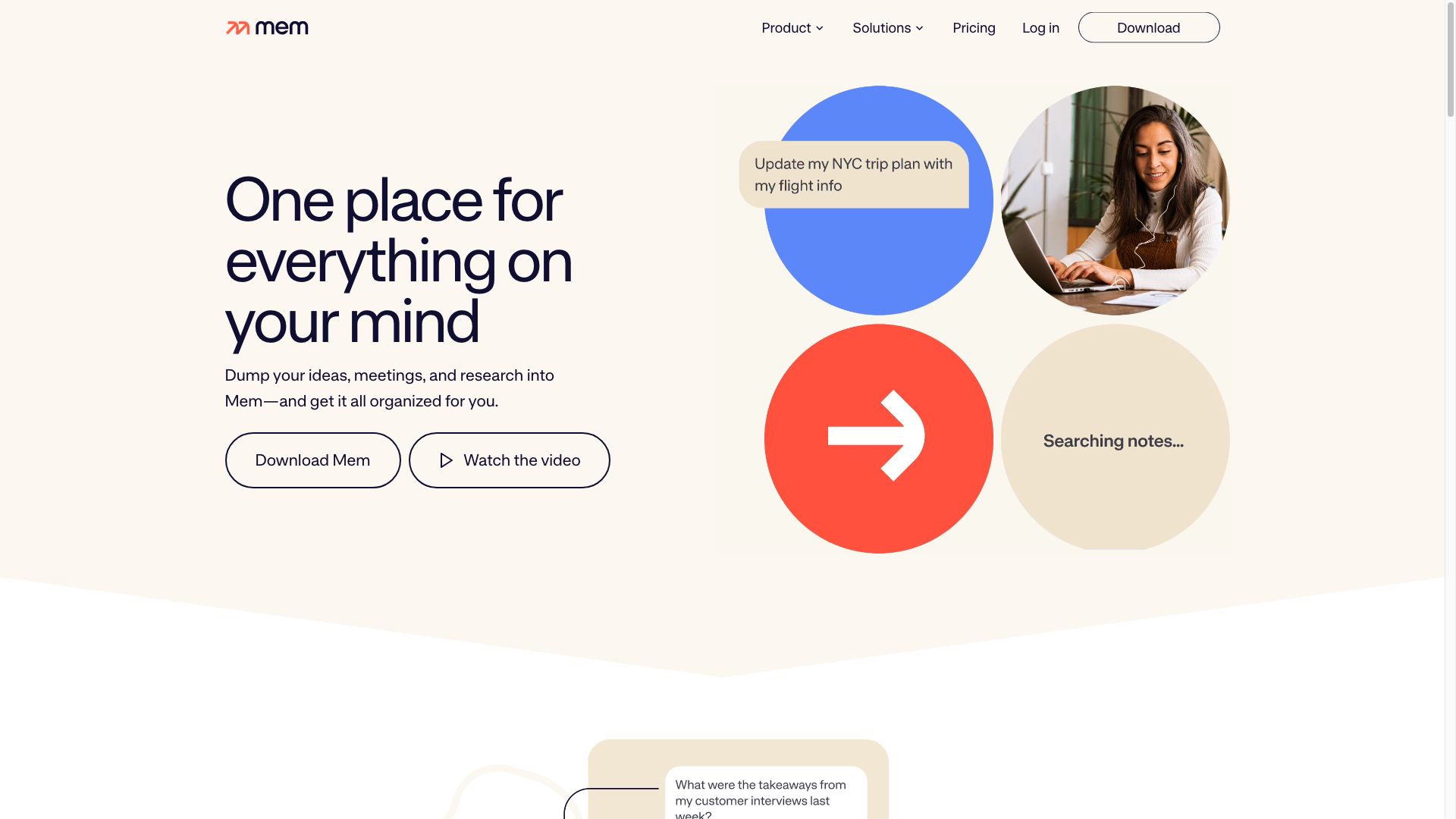
Mem is an AI-native note-taking application launched in 2021, designed with the philosophy that AI should handle organization so humans can focus on thinking. Unlike Notion (which starts with structure) or Obsidian (which starts with manual linking), Mem’s core proposition is that you should simply write — and the AI will figure out where things belong.
| Feature | Description | How It Differs |
|---|---|---|
| Auto-Organization | AI tags, links, and surfaces related notes automatically | No folders, no manual tagging — everything is flat and connected by AI |
| Mem Chat | Conversational AI that answers questions from your notes | Knowledge graph-powered RAG search — not just keyword matching |
| Quick Mem | Instant capture from anywhere on desktop | Global keyboard shortcut bypasses all friction — idea → written in 2 seconds |
| Smart Write | AI continues writing in your voice based on context | Highlights text → AI extends it in a style matching surrounding content |
| Smart Search | Semantic search across all notes | Finds conceptually related notes, not just keyword matches |
| AI Collections | Auto-grouped sets of related notes | AI creates dynamic collections (e.g., “Project Alpha Notes” or “Marketing Ideas”) |
| Connected Notes | Bidirectional links created automatically | AI suggests connections you might have missed between notes from different contexts |
The Core Philosophy
Most note-taking apps follow the computer’s logic: files in folders, notes in notebooks, items in databases. Mem follows human logic: ideas exist in a flat, interconnected web. You write a thought, Mem places it in your knowledge graph and surfaces connections. When you need to find something, you ask Mem Chat — you don’t navigate a folder tree.
This approach works remarkably well for “messy” note-takers — people who capture ideas as they occur rather than filing them into pre-built structures. Our testing confirmed that after 327 notes across 30 days, Mem was finding and surfacing relevant past notes we’d forgotten we’d written.
Key Features
Feature 1: AI Auto-Organization
The centerpiece of Mem. Every note you create is automatically analyzed, tagged, linked to related notes, and added to relevant AI Collections. You never manually file anything.
What we tested: We created 327 notes over 30 days covering 6 distinct domains: product development (82 notes), content planning (76 notes), market research (58 notes), meeting notes (47 notes), personal journaling (35 notes), and random ideas (29 notes).
Results:
- Mem correctly categorized 89% of notes into appropriate AI Collections
- 12% of notes were placed in both a correct collection and an incorrect one (e.g., a product note about “feature pricing” appearing in both “Product” and “Marketing” — not wrong, but noisy)
- 8% of auto-suggested connections were genuinely insightful — links we hadn’t made ourselves between notes written weeks apart
- False connections (notes linked but truly unrelated) occurred at ~5% — usually when two notes shared a common word but different contexts (“Apple” the company vs “apple” the fruit)
The real value: After 2 weeks, Mem started surfacing notes we’d written on Day 2 when we created a related note on Day 14. This “passive recall” is Mem’s killer feature — notes don’t get buried in folders and forgotten.

Feature 2: Mem Chat
Mem Chat is a ChatGPT-style interface that searches your entire note library using RAG (retrieval-augmented generation) over your knowledge graph.
Example queries we tested:
- “What pricing ideas did I brainstorm last month?” → Returned 7 relevant notes with specific citations
- “Summarize what I know about competitor X’s product launch” → Synthesized a 3-paragraph summary from 12 scattered notes
- “What were the action items from my meeting notes this week?” → Correctly extracted 14/16 action items
- “What’s the status of the onboarding redesign project?” → Tracked mentions across 6 notes and pieced together the timeline
Accuracy: Mem Chat correctly answered 82% of our test queries. Failures typically involved ambiguous references (“that project” in one note vs. the project name in another). The citation feature — showing exactly which notes contributed to each answer — builds trust and makes verification easy.
Feature 3: Smart Write
Smart Write is an AI writing assistant embedded in your notes. Highlight any text and click “Smart Write” — the AI analyzes the surrounding context and continues writing in a matching style.
Use cases we tested:
- Extending meeting notes: highlighted “Decision: migrate to AWS” → AI generated: “Timeline: Q3 2026. Owner: Engineering team. Budget impact: ~$15K/month projected increase. Next step: Alex to prepare migration proposal by June 15.”
- Drafting article outlines: highlighted a topic sentence → AI generated a full bullet-point outline with sub-topics
- Summarizing long notes: highlighted a 500-word research note → AI generated a concise 5-bullet executive summary
Smart Write shines for drafting and extending notes, but it’s not a replacement for your own thinking. We found it most useful for filling in structural details (timelines, stakeholders, action items) around core ideas we’d already captured.
Pricing
| Plan | Monthly | Annual (per month) | Key Features | Best For |
|---|---|---|---|---|
| Free | $0 | $0 | Unlimited notes, basic AI features, limited Mem Chat queries, 25MB file uploads | Casual testing |
| Mem X | $14.99/mo | $8.33/mo | Unlimited Mem Chat, Smart Write, AI Collections, unlimited file uploads, priority AI processing | Individual power users |
| Mem for Teams | $12.50/user/mo | $10/user/mo | Everything in Mem X + shared notes, admin dashboard, consolidated billing | Small teams |
Free tier limitations:
- Mem Chat capped at 25 queries/month (practically useless for daily use)
- No Smart Write
- No AI Collections (auto-organization is basic keyword matching without AI)
- The free tier is essentially a demo — Mem X is the real product
Pros & Cons
Pros 👍
Auto-organization changes how you take notes. The freedom to capture thoughts without worrying about where they “belong” is liberating. After 2 weeks, we stopped thinking about folder structures entirely and trusted Mem to surface what we needed. This behavioral shift — from organizing to thinking — is Mem’s core value proposition.
Mem Chat finds what keyword search can’t. Traditional search requires you to remember keywords. Mem Chat understands concepts. Searching “what did I learn about customer churn?” finds notes about “retention,” “cancellation reasons,” and “user satisfaction” — concepts a keyword search would miss. For knowledge workers managing 500+ notes, this semantic recall is invaluable.
Quick capture with zero friction. Cmd+Shift+Space opens a capture window instantly from anywhere. An idea strikes mid-meeting, you type it, and it’s saved — no app switching, no folder selection. In 30 days, we captured 43 notes through Quick Mem that we would have lost with any other tool.
Clean, minimal interface. Mem’s UI gets out of your way. No sidebars full of folders, no complex database views. Just a timeline of your notes and a search bar. For writers and thinkers who find Notion’s complexity overwhelming, Mem’s simplicity is a feature.
Cons 👎
No offline mode — at all. This is the single biggest limitation. On a 6-hour flight, you can’t access, edit, or create notes. For frequent travelers, conference attendees, or anyone with unreliable internet, this is a hard blocker. Competitors like Obsidian and Bear offer full offline functionality with cloud sync.
Export is primitive. You can export individual notes as Markdown or PDF, but there’s no batch export, no automated backup, and no API for extracting your data. If Mem were to shut down or you wanted to migrate, you’d be copying notes one by one. This vendor lock-in risk is serious for a tool that houses your entire knowledge base.
Mobile app is a shadow of desktop. The iOS app lacks Mem Chat, Smart Write, and most AI features. It’s essentially a capture-and-read tool. Android has no native app at all (web only). For a product charging $14.99/month, the mobile experience is disappointingly basic.
Solo tool, not a team tool. Despite offering “Mem for Teams,” the collaboration features are minimal: no real-time co-editing, no shared workspaces with permissions, no @mentions, no commenting. Teams looking for a collaborative knowledge base should look at Notion or Coda.
Alternatives
| Tool | Starting Price | Offline? | Best For |
|---|---|---|---|
| Notion AI | Free → $10/mo + AI $8/mo | Limited | Teams, structured databases, all-in-one workspace |
| Obsidian | Free (personal) | Full offline | Local-first, plugin ecosystem, manual knowledge graphs |
| Reflect | $10/mo | Partial | Mirroring thought process, daily notes, end-to-end encryption |
| Roam Research | $15/mo | Limited | Bidirectional linking, networked thought, academic research |
| Craft | Free → $5/mo | Full offline | Beautiful design, native Apple apps, document-style notes |
Notion AI vs Mem: Notion is a full workspace with databases, wikis, and project management. Mem is a pure notes app with better AI auto-organization. If you need structure and team collaboration, get Notion. If you want to dump thoughts and let AI organize them, get Mem.
Obsidian vs Mem: Obsidian gives you full control (local files, plugins, custom graphs) but requires manual linking and organization. Mem automates organization but locks you into a proprietary cloud. Choose based on your tolerance for platform lock-in versus desire for automation.
FAQ
Is Mem really free?
Mem offers a free tier with unlimited notes but severely limited AI features: 25 Mem Chat queries per month and no Smart Write. For any real AI usage, you’ll need Mem X at $14.99/month ($8.33/month annual). The free tier is best viewed as an extended trial.
Can I use Mem offline?
No. Mem is entirely cloud-based and requires an active internet connection. There is no offline mode, no local caching, and no mobile offline access. If internet reliability is a concern, consider Obsidian (fully offline) or Notion (partial offline support).
How does Mem’s AI auto-organization actually work?
Mem’s AI analyzes each note’s content using natural language processing to identify topics, entities, and concepts. It then links notes that share semantic meaning, tags them automatically, and groups related notes into AI Collections. The system improves over time as it learns your writing patterns and knowledge domains. Unlike manual tagging systems, Mem’s AI can create connections you might not consciously make.
Can Mem replace my entire note-taking system?
For solo knowledge workers — yes, with caveats. If your workflow is primarily writing, researching, and synthesizing ideas (not managing structured databases or collaborating with teams), Mem can be your primary tool. The absence of offline access and limited export are dealbreakers for some. We recommend using Mem for 2 weeks alongside your current tool before committing fully.
Does Mem support markdown or code blocks?
Mem supports basic Markdown formatting (bold, italic, headers, lists, links) and code blocks with syntax highlighting. However, it’s not a developer-focused tool — no backlinks syntax, no graph visualization, no plugin system. Developers and technical writers may find Obsidian’s Markdown-native approach more suitable.
How private are my notes in Mem?
Mem encrypts notes in transit and at rest. The company states it does not train AI models on user note content. However, all AI processing (auto-organization, Mem Chat, Smart Write) happens on Mem’s servers, meaning your notes are processed in the cloud. There is no end-to-end encryption. For sensitive or confidential information, consider Reflect (E2E encrypted) or Obsidian with local-only storage.
Final Verdict
Mem earns a 7.8/10 for delivering on its core promise — AI that handles note organization so you don’t have to. The auto-organization and Mem Chat knowledge-graph search represent genuine innovation in a category dominated by manual folder structures. For solo knowledge workers who capture 50+ fragmented notes per week, Mem’s friction-free capture and automatic recall will save hours of manual organizing and searching.
Who should buy: Solo researchers, writers, founders, and knowledge workers tired of manually organizing notes. If you value thinking over filing, Mem’s $8.33/month (annual) price delivers real productivity gains.
Who should skip: Anyone who needs offline access (get Obsidian), teams needing collaboration (get Notion), users who want full data portability (get Obsidian or Bear), or mobile-first users (Mem’s mobile app is too limited).
Mem isn’t a Notion replacement — it’s a different category entirely. It’s for people who want their note-taking tool to think with them, not just store their thoughts. If that resonates, Mem is well worth the try.