ESP32 iPhone Agent Review 2026 — A $7 Board Gives Any Vision Model Real Hands and Eyes on iOS
✅ Pros
- • The architecture is genuinely clever for the price: the board is both the AirPlay receiver and the mouse, so the phone mirrors to a $7 microcontroller and receives HID input back over USB, with no Mac, no jailbreak, no developer account and no cloud control plane in the loop
- • Dropping the computer entirely in this version is the change that makes it practical: v0.1.0 needed a Mac or Linux box running UxPlay plus a Python server, while the current build runs the vision model client, planner and actor inside an app on the same iPhone and keeps cellular data for the model while Wi-Fi is tied up by the board's hotspot
- • The pointer handling shows real engineering rather than demo-quality scripting: the pointer is relative, so the app tracks it, re-homes it in a corner, wiggles it before precise taps to find it on screen and corrects the miss — and after each action it waits for the screen to settle and tells the model whether anything changed
- • Failure recovery is designed in: a lost board, hotspot or mirroring link pauses the run and resumes from the same step, and every run is kept on the phone with taps and swipes drawn on top, replayable, exportable as screenshots, actions and annotations for another agent to analyse
- • It is model-agnostic and honest about being self-built: any OpenAI-compatible vision endpoint works (vLLM, SGLang, llama.cpp, Ollama, cloud APIs), planner and actor models can be set separately, prompts are plain text in the repo, and the key lives in the Keychain
- • The price-to-capability ratio is the story: about $7 for a XIAO ESP32S3 with 8 MB PSRAM, a Lightning-to-USB-C camera adapter if your phone needs one, and a free Apple ID — which is the cheapest real-device computer-use setup available without an emulator
⚠️ Cons
- • The screen you get is small and slow because BLE carries only about 300-500 kbps: the mirror is 480×1040 at 5 fps or less, each step takes a few seconds and most of that is the model, so a twenty-step task is a coffee break rather than a workflow
- • iOS refuses to mirror some of the most important surfaces — passcode entry, Apple Pay and DRM video are invisible to the agent — and mirroring stops entirely when the phone locks, which rules out unattended long runs
- • While the agent works, the phone's Wi-Fi is the board's hotspot with no internet, so the model must be reachable over cellular data; the one-tap hotspot join also needs Apple's Hotspot Configuration capability, which requires a paid developer account (without it you type the password by hand)
- • Keyboard input is ASCII only and landscape apps are unsupported — two limits that quietly exclude a lot of real work, including anything involving Chinese text through the pinyin keyboard, which is still an open roadmap item
- • The app uses a private iOS API (`suspend`) to leave itself when it works, which is fine for a self-built app and a blocker for App Store distribution; free-account builds also have to be re-signed every seven days
- • Setup is four checked steps but still a hardware project: flash with arduino-cli and the ESP32 core, build the Xcode project with your own team and bundle ID, then pair BLE, join Wi-Fi, mirror the screen and calibrate AssistiveTouch — and the issue tracker shows the predictable failures, from duplicated BLE links to a run that starts with no video
Developers and researchers who want to test computer-use agents on a real iPhone without an MDM fleet, a Mac in the loop or a jailbreak — particularly teams prototyping mobile automation, accessibility flows or app QA, and anyone with a spare iPhone and a spare $7 who wants the most direct demonstration available that vision-model agents can drive real touch interfaces
Free and open source (MIT, with the AirPlay receiver ported from UxPlay kept under GPL-3.0 in hardware/hid_bridge/src/airplay/, so the linked firmware binary ships as GPL-3.0). Hardware: an ESP32-S3 board with native USB and PSRAM — a Seeed Studio XIAO ESP32S3 is about $7 — plus an iPhone on iOS 18 or later and, for Lightning models, a Lightning to USB Camera Adapter. A Mac with Xcode is needed once to flash and build; it is not needed at run time. Model costs are whatever your vision endpoint charges.
What It Is
There is a specific kind of demo that makes the rounds every few months: a phone on a desk, a cursor moving by itself, an agent opening Settings and setting an alarm. Almost all of them hide the same scaffolding — a Mac running an automation harness, a signed WebDriverAgent build, a developer disk image, or a device farm. ESP32 iPhone Agent, by Henry Yuan, is the version that removes the scaffolding. Its claim is one sentence: let an AI model use a real iPhone with a $7 ESP32 — just the phone and the board, no computer, no jailbreak.
Created October 11, 2026, the repository sits at 4,011 stars and 531 forks at review time — the fastest-adopted project in this batch — under MIT, with the AirPlay receiver portion ported from UxPlay and therefore GPL-3.0. Written in C for the firmware with a SwiftUI app for the phone. A Mac with Xcode is needed once to flash the board and build the app; after that the Mac is out of the picture.
The name undersells the design. The interesting part is not the microcontroller — it is that the board occupies two roles that are usually played by a computer.
Eyes, Hands, Brain
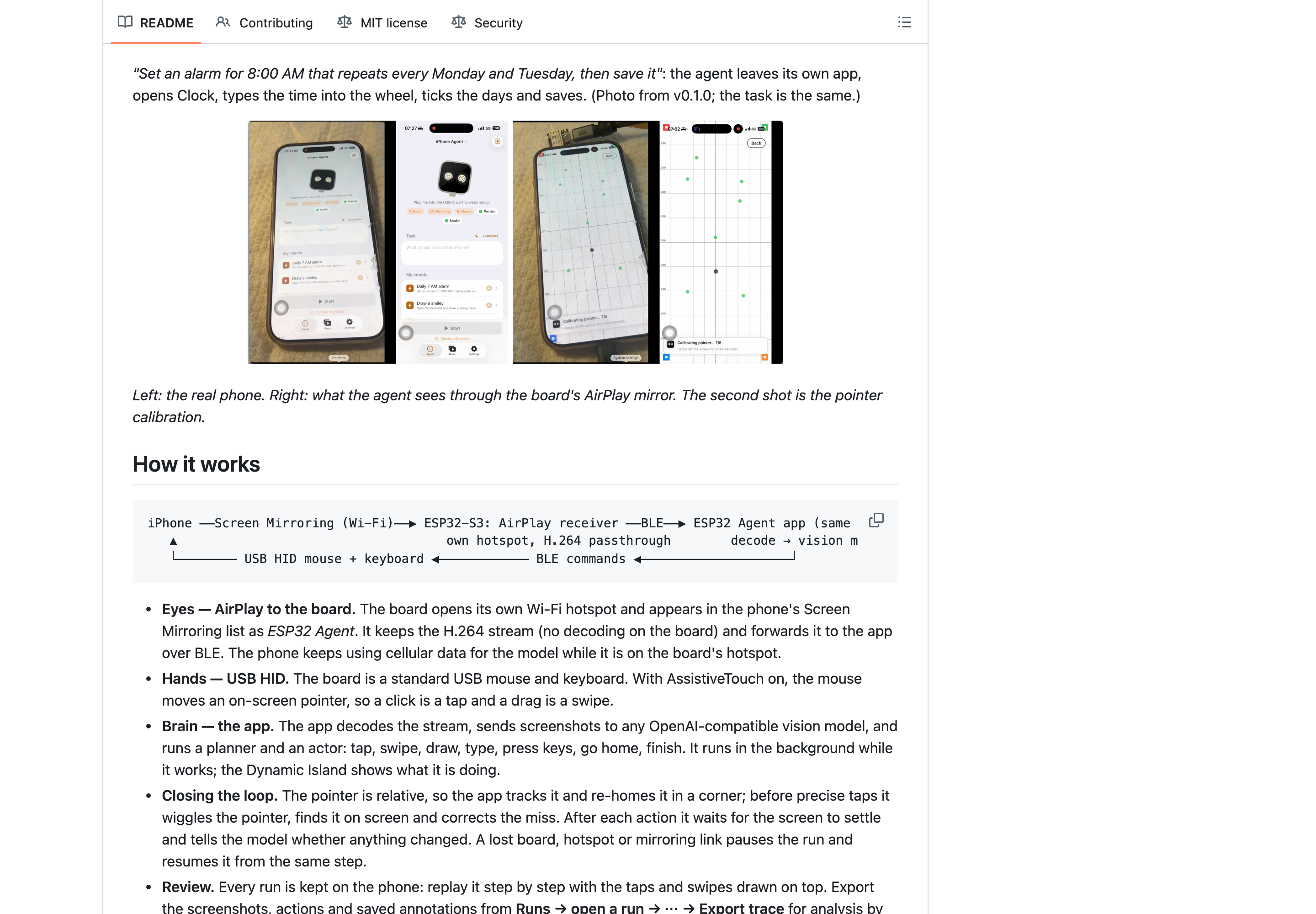
Eyes. The firmware is an AirPlay receiver. The board opens its own Wi-Fi hotspot and shows up in the phone’s Screen Mirroring list as ESP32 Agent; when you mirror, the board receives the H.264 stream and — importantly — does not decode it. It forwards the stream over BLE to the app. Because the phone is on the board’s hotspot but the board has no internet, the phone keeps using cellular data for the model. That is the trick that lets a vision model see the screen without a network path through a server you own.
Hands. The board enumerates as a standard USB mouse and keyboard. With AssistiveTouch enabled, an on-screen pointer follows the USB mouse, so a click becomes a tap and a drag becomes a swipe. No private input APIs, no accessibility bridge — the phone believes a mouse is plugged in, because one is.
Brain. The app decodes the stream, sends screenshots to any OpenAI-compatible vision endpoint, and runs two roles: a planner and an actor. The actor’s toolset is deliberately small — tap, swipe, draw, type, press keys, go home, finish — and it runs in the background while working, with the Dynamic Island showing what it is doing. Prompts are plain text files in prompts/, bundled with the app, editable and rebuildable. Planner and actor can be different models, and the key is stored in the Keychain.
The loop-closing logic is where this stops being a toy. A USB mouse pointer is relative, so the app tracks the pointer position itself and re-homes it to a corner between actions. Before a precise tap it wiggles the pointer, finds it visually, and corrects the miss. After each action it waits for the screen to settle and reports to the model whether anything actually changed — which is the difference between an agent that notices a failed tap and one that confidently continues. If the board, hotspot or mirroring link drops, the run pauses and resumes from the same step rather than restarting.
Every run is recorded on the phone. You can replay it step by step with the taps and swipes drawn on top, and export the screenshots, actions and annotations for another agent to review.
Setting It Up
Four steps, each self-checking, and the honest cost is that three of them are hardware work.
- Flash the board from a Mac: install
arduino-cli, the ESP32 core 3.3.x and NimBLE-Arduino 2.5.x, then runhardware/flash.sh— always through that script, because it applies the BLE buffer sizes without which the link underperforms. - Build the app with XcodeGen from
ios/project.yml, setDEVELOPMENT_TEAMandIA_BUNDLE_ID, and run theIPhoneAgentscheme on the phone. A free Apple ID can sign it, which means re-signing every seven days. - Run setup in the app: pair the board over Bluetooth, join its Wi-Fi and pick ESP32 Agent in Screen Mirroring, enable AssistiveTouch and let the app calibrate the pointer, then enter the model endpoint and key and pick a vision model from the endpoint’s list.
- Give it a task — “Open Settings and go to Wi-Fi” — and press Start. Saved tasks can be triggered from Siri, Shortcuts, widgets and Control Center.
One licensing-adjacent detail worth flagging because the maintainers flag it themselves: the README warns you to follow only the documented install steps and never run commands from issues or comments, including “quick install” one-liners. For a project that asks you to plug a USB HID device into your phone and let a model tap through your apps, that is the right posture — and it is a reminder that the threat model here is not theoretical.
What It Actually Feels Like
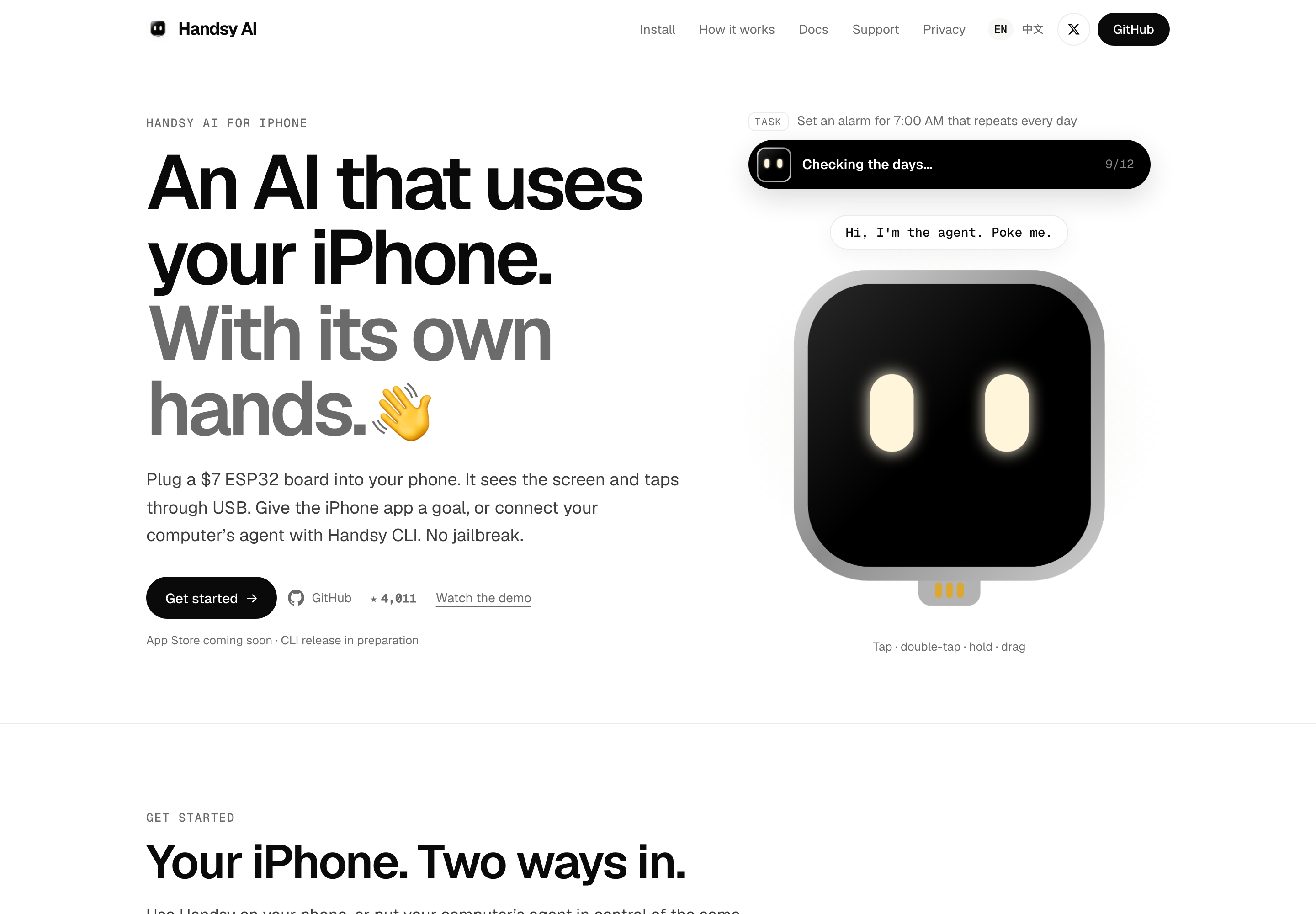
The README’s own example is the clearest calibration: “Set an alarm for 8:00 AM that repeats every Monday and Tuesday, then save it” — the agent leaves its own app, opens Clock, types the time into the wheel, ticks the days and saves. That is a real multi-step task with a scroll-wheel interaction, and it is the kind of thing that either works or produces a video of a cursor missing a button for forty seconds.
The limits explain the pacing. BLE carries roughly 300-500 kbps, so the mirror is 480×1040 at five frames per second or less, and each step takes a few seconds — most of it the model thinking, not the link. A twenty-step task is a coffee break. That is not a defect to be fixed by a faster board; it is the shape of the design, and it means the honest use cases are short, verifiable tasks and repeated QA flows rather than long autonomous sessions.
Three iOS constraints bound it further. The system refuses to mirror the passcode screen, Apple Pay and DRM video, so the agent is blind exactly where automation would be most sensitive — a reasonable safety property that also blocks purchase and unlock flows. Mirroring stops when the phone locks, ruling out unattended runs. And while the phone’s Wi-Fi is the board’s hotspot, there is no internet on that interface: the model must be reachable over cellular, which is fine for cloud endpoints and a problem if your model lives on your LAN.
Then the two limits that quietly exclude real work: keyboard input is ASCII only and landscape apps are unsupported. Chinese input through the pinyin keyboard, a huge share of the apps in this market, is still on the roadmap rather than in the build.
The issue tracker is a fair picture of a three-week-old hardware project, not a collection of red flags: a macOS-as-AirPlay-source handshake that completes and then sends no video (#46), a “cannot start: err no vedio” report (#44), questions about using Wi-Fi instead of BLE for board control (#49), and — the most interesting thread — a community write-up of experiments pairing BLE control with Midscene (#43). Eleven open issues and three pull requests at review time, with the maintainer answering.
Verdict
Judge this against alternatives rather than against a fantasy. WebDriverAgent and XCUITest need a Mac and code signing; mobile-mcp and Midscene need the same; device farms cost money and take the device away from you. The $7 path buys a slower, smaller, ASCII-only view of a real iPhone that you own, with a model of your choosing, no jailbreak and no cloud in the control loop — and the whole thing is a few hundred lines of firmware you can read.
It loses points where honesty demands it: 5 fps, portrait only, no non-ASCII text, blind to passcode and payment screens, a private API that precludes the App Store, and a weekly re-sign on a free account. It gains them back on price, on transparency, and on the fact that the hard parts — pointer recalibration, screen-settle detection, resumable runs, exportable traces — are already solved rather than promised.
If you want to know whether a vision agent can drive your app on a real phone, this is the cheapest honest test available. If you want to run it in production on a hundred devices, this is the prototype that tells you whether to build the fleet.