AI Video Editing 2026: Descript vs Riverside vs VEED.io — Deep Comparison
AI Video Editing 2026: Descript vs Riverside vs VEED.io — Deep Comparison
Three platforms dominate AI-powered video editing in 2026: Descript, Riverside.fm, and VEED.io. Each serves a different primary use case — Descript is a full video editor built around text-based editing, Riverside is a professional remote recording studio with editing features, and VEED.io is a browser-based quick editor for social content.
Descript is the most powerful editor overall. Riverside records the highest quality remote footage. VEED.io is the fastest tool for basic edits and social media exports.
Pricing Comparison (June 2026)
| Tool | Free Tier | Pro Plan | Business | Key Limits |
|---|---|---|---|---|
| Descript | 1 free hour of transcription | $24/mo (Hobbyist), $40/mo (Pro) | Custom (Enterprise) | Free: 720p export, limited AI features |
| Riverside.fm | 2 hours recording (single track) | $24/mo (Pro), $39/mo (Standard) | $79/user/mo (Business) | Free tier: up to 720p, 1 guest max |
| VEED.io | Limited (10 min watermark) | $24/mo (Pro), $49/mo (Business) | Custom (Enterprise) | Free: visible watermark, 720p only |
Recording Quality
Riverside records locally on each participant’s machine and uploads in the background. This means it captures up to 4K 48kHz audio regardless of internet speed. The local recording approach eliminates dropped frames and audio sync issues common in cloud-only recorders. Descript records in the browser or via its desktop app at up to 1080p with automatic background noise removal. VEED.io records in the browser at up to 1080p — quality depends entirely on the participant’s internet connection.
For professional podcast recording, Riverside is the clear winner. The local recording ensures studio-quality results even if a guest has a weak connection.
AI Editing Features
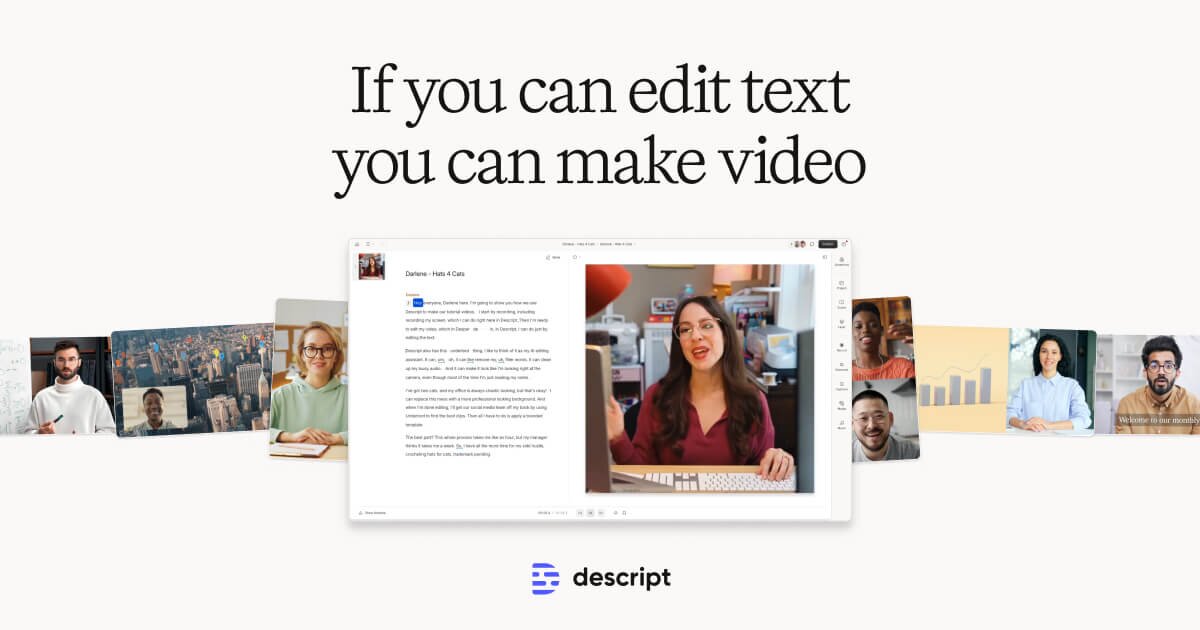
Descript’s text-based editing is the standout AI feature. You edit video by editing the transcript — delete words in the transcript and the video cuts automatically. Descript also includes AI voice cloning (Studio Sound), filler word removal, eye contact correction, and AI-powered screen recording with mouse tracking.
Riverside’s AI Magic Editor includes auto-highlights, silence removal, text-based editing (added in 2026), and AI show notes. The auto-highlight feature is particularly useful for turning long podcasts into short social clips. VEED.io includes automatic subtitles, translation into 50+ languages, background removal, and an AI avatar feature for text-to-video creation.
Export Options
Descript exports to all major formats and directly to YouTube, Vimeo, and social platforms. It supports multi-track export for professional post-processing in Premiere Pro or DaVinci Resolve. Riverside exports individual tracks (separate audio and video for each participant) plus a combined export — essential for professional podcast editing. VEED.io exports to social-native formats: vertical 9:16 for TikTok/Reels, square for Instagram, and standard 16:9 for YouTube.
Riverside’s individual track export is a must-have for podcasters. No other tool in this comparison offers it at this price point.
Collaboration
VEED.io offers the smoothest collaboration experience because everything runs in the browser. Share a link, add comments, and review changes without anyone installing software. Descript’s cloud-based projects support real-time collaboration with comments and version history. Riverside’s collaboration is limited to the recording session — post-recording editing is single-user.
Use Case Recommendations
For podcasters and remote interview shows: Riverside Standard ($39/mo). The 4K local recording and individual track export justify the cost. Combined with the auto-highlight feature, it’s the most efficient podcast production pipeline available.
For YouTube creators and video producers: Descript Pro ($40/mo). Text-based editing alone saves hours per video. Studio Sound and eye contact correction are great value-adds. One Capterra reviewer noted: “Descript cut my editing time from 3 hours to 45 minutes for a 20-minute YouTube tutorial.”
For social media managers and quick edits: VEED.io Pro ($24/mo). Fast, browser-based, and produces social-ready formats out of the box. The AI subtitles and translation features are valuable for global content teams.
For teams on a tight budget: VEED.io. At $24/mo for the Pro plan with no per-export limits, it’s the most affordable option for basic editing and subtitling.
Limitations
Descript has no native mobile app — editing on iPad or phone requires the web version. Riverside’s editing features are less mature than Descript’s — you’ll still need a separate editor for complex projects. VEED.io struggles with projects longer than 30 minutes — browser memory becomes an issue.
The Bottom Line
Your choice depends on your primary workflow. If you record remote interviews, Riverside is the best starting point. If you edit pre-recorded content, Descript’s text-based editing is unmatched. If you need quick social media clips with subtitles, VEED.io is the fastest and most affordable option. Many content creators use Riverside for recording and Descript for editing — they complement rather than replace each other.